Best Personal AI Agents: Meta Muse vs ChatGPT Dots vs Claude Cowork and More (2026)
Meta Muse, ChatGPT Dots, Claude Cowork and Duet, Gemini, Grok Bot and more compared by job, price and free tier, as of Nov 25, 2026.
Agent Skills
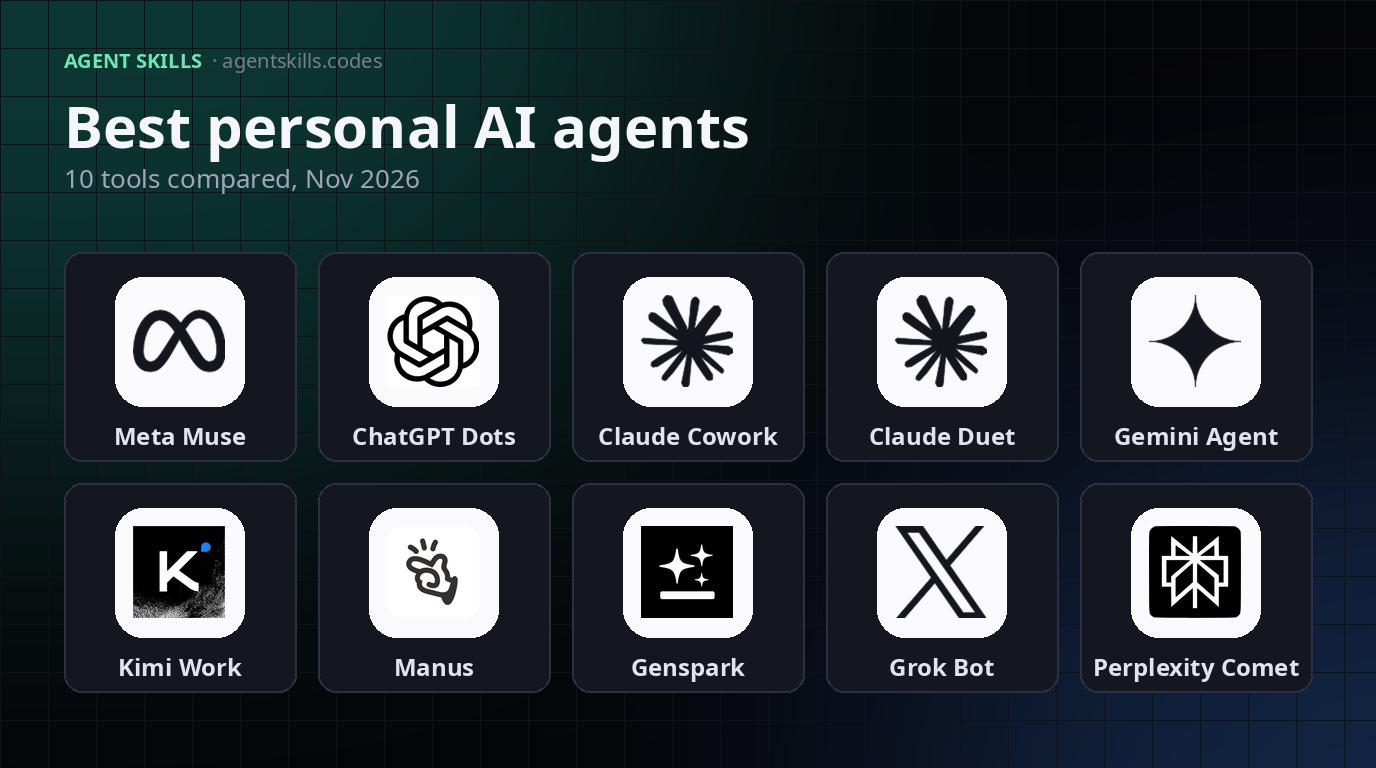
If you searched "meta ai agent" this week, you probably landed on Muse, the personal agent Meta launched on September 8, 2026. It is one of at least ten products now competing for the same job: an assistant that has its own computer, keeps working after you close the app, and comes back to you when something needs a decision. OpenAI calls its version a dot, Anthropic has Duet and Cowork, xAI has Grok Bot, Google rebranded Spark as Tasks, and a long tail of independents (Manus, Genspark, Kimi, Perplexity) sells the same idea with different trade-offs.
This guide is not a copy of the head-to-head posts you will find elsewhere. It is organised around one question: which personal agent for which job? Every price, limit and availability claim below is dated "as of November 25, 2026" and comes from the vendor's own page where one loaded. Where two official pages disagree, we say so. We did not run hands-on tests on any of these products, and we explain exactly what we did and did not do in the evaluation section near the end.
A third-party 2026 video comparing the main always-on agents side by side. It is a reviewer's opinion, not a vendor demo, and we cite it only for context.
Short answer: the best personal AI agent for each job
There is no single winner, because these products split along three lines: where the agent runs (its own cloud computer or your laptop), what it costs to get started, and how far it will act without asking you first. These are our picks as of November 25, 2026, based on the documented behaviour of each product.
| If you want... | Pick | Why |
|---|---|---|
| The cheapest way to try a real agent | Gemini Agent (Tasks in Gemini) | Free in six countries, with a spend cap and approval before purchases (calling and payments are US only) |
| A consumer agent that lives in your messaging apps | Meta Muse | Free tier, WhatsApp support, own secure VM, phone calls on paid tiers |
| The deepest "own a project for me" agent | ChatGPT Dots | Own cloud computer, 4,000+ app plugins, Slack and Teams, but Pro-priced today |
| A work-first inbox and calendar agent | Claude Duet | Proactive triage of what needs attention, approvals before sends, but US waitlist and research preview |
| A desktop agent for files, decks and spreadsheets | Claude Cowork | Cloud tasks since October 6, 2026, included in every paid Claude plan |
| A local agent that works on your own files | Kimi Work | Runs on your machine, up to 300 sub-agents, free download |
| A general agent with a free daily credit pool | Manus | Free plan with daily credits, strong at research and slides |
| One workspace for slides, sheets and research | Genspark | Super Agent with its own project computer, free plan available |
| A bot team that works inside your SaaS tools | Grok Bot | Shared persistent cloud computer, works where there is no API |
| An agent inside your browser | Perplexity Comet | Free browser, but the acting agent needs a paid plan |
Three honest caveats before the detail. First, "personal agent" launches are recent (Kimi Work in June 2026, Grok Bot in August, Muse and Dots in September, Duet in October), so features and prices are moving weekly. Second, several of these are limited to the United States or exclude the EU, UK and Switzerland. Third, none of the vendors publishes an independent benchmark for personal-agent quality, so we do not rank on a score. The order of the sections below follows search demand (Muse, Dots and Cowork first), not a quality ranking. The table above is the verdict.
Master comparison table
Prices are US list prices for individuals, before tax, as of November 25, 2026. "Open source" is No for every product here as far as we could find: all ten are hosted or proprietary products, so there is no open-source pick in this category.
| Product | Runs where | Cheapest paid plan with the agent | Free tier | Open source | Key limit | Standout |
|---|---|---|---|---|---|---|
 Meta Muse | Own secure cloud VM | Power, $20/month | Yes, with an unpublished weekly usage limit | No | Limited testing, not in all locations | WhatsApp access, audit trail, phone calls |
 ChatGPT Dots | Own cloud computer | Pro 100, $100/month (Plus test is limited) | No | No | Excludes EEA, UK, Switzerland | 4,000+ app plugins, Custom Rules |
 Claude Cowork | Cloud (since Oct 6, 2026) or desktop | Pro, $20/month ($17 billed annually) | No (paid plans only) | No | Usage shared with Claude plan | Files, decks, scheduled tasks |
 Claude Duet | Own VM with browser | Pro, $20/month | No | No | US waitlist, research preview | Proactive triage, approval before sends |
 Gemini Agent | Hardware-isolated VM | Free, then AI Pro (about $20/month per Engadget) | Yes (US, CA, AU, IN, JP, KR) | No | Calling and payments US only | Free, spend cap, text and email intake |
 Kimi Work | Your Mac or Windows PC | Plus, $19/month (credits) | Free download reported; agent allowance unconfirmed | No | Laptop must stay on | Agent Swarm up to 300 sub-agents |
 Manus | Cloud sandbox | Pro, from $20/month per help center (see pricing note) | Yes, daily credits | No | Credit based | Research, slides, sites |
 Genspark | Project cloud computer | Plus, $24.99/month ($19.99 annual) | Yes | No | Credit based | Super Agent, files, skills |
 Grok Bot | Shared persistent cloud computer | Premium, $30/month | Not on Plus or Free | No | Beta, shared weekly usage pool | Works in apps with no API |
 Perplexity Comet | Your browser, hands tasks to Computer | Pro, $20/month ($17 annual) | Browser free, agent needs paid plan | No | Monthly agent query limits | Browser-native agent |
How we define a "personal agent" in this guide
We kept the definition narrow so the comparison stays fair. A product qualifies if a normal person can hand it a goal and walk away, it can act in real accounts (mail, calendar, shopping, files) rather than only draft text, and it asks before consequential steps. That excludes plain chatbots, and it also excludes developer-only coding agents. It includes browser agents and desktop agents as long as they take multi-step actions for you.
Two product names need a note. "Gemini Agent" was announced in November 2025 as an experimental feature for Google AI Ultra subscribers in the US. Google's own agent line later moved through the name Gemini Spark (a 24/7 agent for AI Ultra in May 2026) and, on November 17, 2026, was rebranded as Tasks in Gemini and made free. We list it as Gemini Agent because that is the name many people still search, and we describe the current Tasks product. "Claude Cowork" and "Claude Duet" are two different Anthropic products, covered separately below.
The 10 personal AI agents, one by one
Meta Muse
What it is. Muse is Meta's personal agent. Meta's own site describes it as an agent that "gets it done for you": it sorts email, books reservations, shops, manages calendars and builds fitness plans. The launch thread by Alexandr Wang on September 8, 2026 called it "always-on, wicked fast", able to use a browser and connect to your apps, and "designed to be secure".
How it works. Each user gets a persistent, isolated Linux computer with a full browser, which Meta calls Muse Secure VM. You and the agent can both use it, and you can step in at any point. Meta's safety post (security.muse.ai) adds that the agent runs in an isolated cell, does not see real credentials, and sends every interaction with the outside world through a Sentinel that the agent cannot override. Meta says Muse checks with you before important actions such as sending an email or making a purchase. You chat with it in the Muse app on mobile or desktop, or directly in WhatsApp, by text or voice, according to muse.ai.
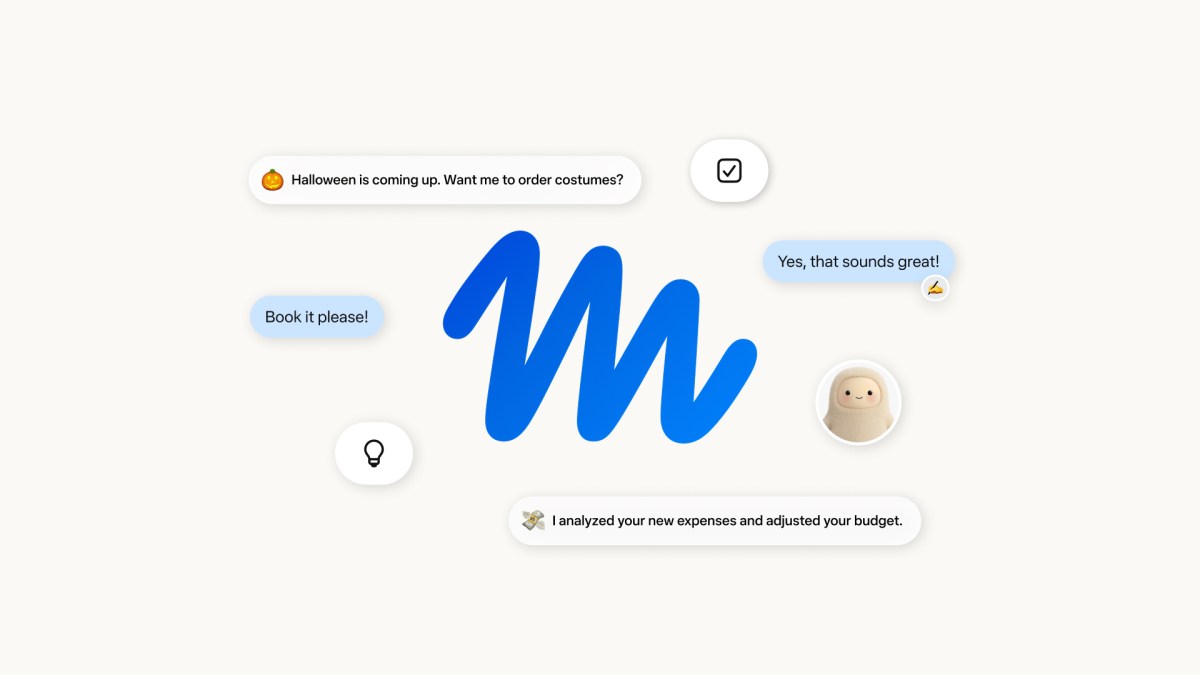
Who it is for. People who want a general life-admin agent and already live in Meta's apps. Muse leans consumer: goals like saving money, shopping, fitness and relationships appear on the product page. Meta also lists a separate Muse for Business offering for small businesses, which we did not evaluate.
Key features. Secure VM with browser, connectors (email, calendar and Instagram are named on the product page), an audit trail of what the agent has done and plans to do, approval before actions like sending email or purchases, WhatsApp and voice, and proactive goal suggestions. Paid plans add phone calls.
Pros
- A free tier that includes a persistent VM and a mobile app, subject to a usage limit (Gemini Tasks is the other free option here).
- Documented safety design: sentinel check, credential isolation, audit trail.
- WhatsApp access lowers the friction to try it.
Cons
- Meta says Muse and its subscriptions are "in limited testing" and "aren't available in all locations yet". The launch was US first.
- The free usage limit is not published in numbers on the help page we read.
- Meta itself says Muse can and will still make mistakes, and the safety post describes the design as limiting damage rather than preventing errors.
Benefits for you. If you want an agent that texts you on an app you already use and does boring errands, Muse has the lowest barrier of the bigger vendors. The free tier means you can test the proactive behaviour before paying.
Pricing (Meta Help Center, as of November 25, 2026). Free with a usage limit. Power: $20 per month, 500M Muse tokens per week and 10 phone calls per day. Maximum: $100 per month, 3B tokens per week and 20 phone calls per day. Plans renew monthly.
Free tier and limits. Free with an unpublished weekly allowance. You either upgrade or wait for the limit to refresh. Phone calls are a paid-plan allowance.
Standout use case. Handing over a recurring errand (reservations, price checks, calendar clean-up) and letting it text you only for approvals.
Skip it if you are outside a supported country, you need EU availability, or you want a documented enterprise admin model. Muse is consumer-first today.
Starter prompt to test Muse's judgment:
"Every Sunday, check my calendar for next week, find the two most
overbooked days, and propose moves. Do not send anything. Show me the plan."
ChatGPT Dots
What it is. Dots are OpenAI's always-on agents inside ChatGPT. OpenAI's launch post (September 29, 2026) calls them agents that have their own cloud computer, learn from feedback and work toward goals around the clock, connecting through plugins to "over 4,000 apps". You can message or call a dot from ChatGPT on web, mobile and desktop, and message it in Slack and Teams. A texting beta over iMessage and RCS rolled out to Pro users in the US on October 28, 2026.
Who it is for. Knowledge workers and developers who want an agent to own a project (a deck, an app change, a content series) across days, with Codex and ChatGPT Work as the engines for heavy tasks. OpenAI's own examples include a dot noticing a forgotten invoice, preparing it and sending it after approval.
Key features. Own cloud computer you can open and inspect, optional connection to your laptop, Activity View, Custom Rules (allow, require approval, block), auto-review of consequential actions, "proactive research" that uses read-only access to connected apps, saved passwords used without exposing them to the model, voice calls, and and a mobile dot tab added on November 19, 2026 (not in the EEA, UK, Switzerland or Korea).
Pros
- Strongest documented controls: Custom Rules plus auto-review plus an activity log.
- Deep tool reach through the plugin ecosystem, plus Codex for work that needs code.
- Works in Slack and Teams, which matters if your team wants a shared surface.
Cons
- Availability is narrow. The help center says dots are for Pro and selected Plus users, outside the EEA, Switzerland and the UK, and that a downgrade from Pro to Plus loses your dot.
- The cheapest guaranteed route is Pro at $100 per month.
- OpenAI says tasks a dot starts in Codex or ChatGPT Work count toward normal limits, so heavy use is not free of metering.
Benefits for you. If your problem is ongoing project ownership rather than one-off errands, dots have the clearest delegation model: you set rules, it works, you review. The Plus test is the thing to watch.
Pricing (OpenAI Help Center, as of November 25, 2026). First dot included in ChatGPT Pro and Business Premium at no extra cost. Pro plans are $100 (Pro 100), $200 (Pro 200) and $500 (Pro 500) per month, per OpenAI's Pro tiers article. OpenAI says conversations with a dot do not count toward ChatGPT usage limits, and says that in the future you will be able to add more dots and scale each one. Enterprise dots have no fee through January 13, 2027, with billing starting January 14, 2027.
Free tier and limits. No free tier. On November 19, 2026 OpenAI's Thibault Sottiaux wrote on X that OpenAI is testing dots with a small number of ChatGPT Plus users and bringing them to all ChatGPT Business Standard users, and the help center says Plus is "gradually rolling out" to select accounts. Per press coverage of that post, the Business Standard rollout covers eligible US members, with one personal dot each and unlisted usage limits. Support cannot enable a dot for you.
Standout use case. A multi-day project with deliverables (analysis, deck, app change) that you want to supervise by exception.
Skip it if you are in the EU, UK or Switzerland as an individual, or you will not pay $100 per month for the first dot.
For a deeper look at its permission model, see our post on OpenAI dots permissions and workflows.
Claude Cowork
What it is. Cowork is Anthropic's agent for knowledge work. You give it a goal and it works across your files and connected tools, then hands back finished output such as a deck, spreadsheet or report. Anthropic's product page describes it as "give it a goal" work, and says you can start a task from your phone and let it keep working in the cloud.

How it works. Anthropic's support article says that since October 6, 2026, new Cowork tasks on Pro, Max and Ultra plans run in the cloud. You can close your laptop, and scheduled tasks run without any of your devices being online. The older "Only on your computer" option was removed. Desktop apps exist for macOS, Windows and Linux (Linux in beta), and web and mobile access works for Pro, Max, Ultra, Team (beta) and Enterprise when an owner enables it. On Team, cloud sessions are on by default. On Enterprise they are off by default and an admin has to switch them on.
Who it is for. Professionals who already pay for Claude and want a delegate for document-heavy work: research summaries, spreadsheets, slide drafts, recurring reports.
Key features. Goal-based tasks, file and folder access on desktop, connectors, scheduled and handed-off tasks, a Claude in Chrome side panel on paid plans, and shared usage with the rest of your Claude plan.
Pros
- No extra product fee: it is included in every paid Claude plan.
- Cloud execution means scheduled work does not depend on a laptop being awake.
- Strong admin controls on Team and Enterprise.
Cons
- It is a work agent, not a life-admin agent. It does not text you, call businesses or shop for you.
- Usage is shared with the rest of your Claude plan, so heavy agent use can drain chat limits.
- There is no free tier.
Benefits for you. If you already use Claude every day, Cowork is the lowest-friction way to get agent behaviour with no new account, no new bill and a familiar permission model.
Pricing (claude.com/pricing, as of November 25, 2026). Free $0 (no hand-off or scheduled tasks). Pro $17 per month billed annually or $20 billed monthly. Max $100 per month (5x Pro usage). Ultra $200 per month (10x Pro weekly usage). Team Standard $25 monthly or $20 annual per seat; Team Premium $125 monthly or $100 annual per seat, per Anthropic's support pages. "Hand off and schedule tasks" requires Pro or above.
Free tier and limits. None for Cowork. Tasks count against the plan's 5-hour and weekly limits.
Standout use case. A Monday-morning scheduled task that pulls last week's numbers into a draft report while your laptop stays closed.
Skip it if you want an agent that handles shopping, bookings or phone calls, or you need a free option.
Starter task for Cowork:
"Every Friday at 4pm, read the files in /Reports, summarise what changed
this week in five bullets, and save a draft to /Reports/weekly.md.
Ask me before overwriting anything."
Claude Duet
What it is. Duet is a separate Anthropic app where Claude works as a proactive agent. Anthropic's announcement on October 21, 2026 said it "comes to you with what needs your attention, completes tasks you ask of it, keeps working when you step away, and checks with you before it acts on your behalf."
How it works. Per Anthropic's help center, Duet is a research preview for Pro, Max and Ultra subscribers in the US, available by waitlist or invite, and it is not offered on Team or Enterprise plans. It runs Claude Opus 5.5 and you cannot pick a different model. It checks your connected accounts at set intervals, sends emails only with your approval, and has no phone calls or texting. Anthropic lists trading and moving money as off-limits and says Personal Finance is unavailable. There are iOS and Android apps plus claude.ai.
Who it is for. Professionals and small-business owners. Anthropic's own article says it is built for them, and that personal errands such as booking tickets are weaker today.
Key features. Proactive surfacing of what needs attention, background work, approval before actions, connected accounts, and mobile apps.
Pros
- Included in an existing Pro, Max or Ultra plan at no extra cost.
- Clear hard limits (no money movement, approval before emails) make its behaviour predictable.
- Anthropic documents what it cannot do, which is rarer than it should be.
Cons
- US only, waitlist, and a research preview that can change.
- Its usage shares the same 5-hour and weekly limits as the rest of your Claude plan, and background work counts.
- Anthropic says you cannot watch its browser while it works.
Benefits for you. If your pain is an overflowing inbox and calendar rather than ongoing projects, Duet is aimed at exactly that. You do not pay a separate fee to try it once you have access.
Pricing (Anthropic help center, as of November 25, 2026). Included in Pro, Max and Ultra at no extra cost; plan prices as listed under Cowork above. Anthropic's help article also describes one-time limit resets for early users (Pro 3, Max and Ultra 1) that expire December 15, 2026.
Free tier and limits. None. Free plan users are not eligible. Shared usage limits apply.
Standout use case. Letting it surface the threads that need a decision, with drafts waiting for your approval.
Skip it if you are outside the US, on a Team or Enterprise plan, or you want it to handle consumer errands.
Gemini Agent (Tasks in Gemini)
What it is. Google's agent started as Gemini Agent in November 2025, became Gemini Spark (a 24/7 agent for AI Ultra) in May 2026, and on November 17, 2026 was renamed Tasks in Gemini and made free. The Verge reported that it is powered by Gemini 4 Hydrogen and now reaches all users in the US, Canada, Japan, Korea, Australia and India. You switch from "Chat" to "Tasks" on the Gemini home page.
How it works. Google's blog post on the launch says Tasks runs in a hardware-isolated virtual machine, asks permission before buying, and connects to Google apps plus more than 50 third-party apps such as OpenTable and Instacart. US users get extra abilities: calling businesses to compare prices or check stock, paying with Google Pay under a hard spend cap, and assigning tasks by texting Gemini or emailing [email protected]. Calling is not available in some regions and US states, and it needs a US phone number.
Who it is for. Anyone who wants to try an agent without paying, especially people already deep in Gmail, Calendar and Google Pay.
Key features. Tasks, Skills, Schedules and Connectors; texting and email intake; phone calls to businesses; payments with a cap; Mac computer use for Plus, Pro and Ultra subscribers on Apple silicon (announced November 19, 2026, US English).
Pros
- Among the free options here, the one that documents calling and payments (US only).
- The spend cap and ask-before-buying rule are a sensible default for a first agent.
- Email and text intake means you do not need a new app habit.
Cons
- The most advanced features are US-only, and some countries get only the basic version.
- It is tied to the Google ecosystem. If you live in Microsoft 365, the connectors are a weaker fit.
- Google's naming has changed three times in a year, so documentation and tutorials are inconsistent.
Benefits for you. The cheapest path from zero to a working agent. You can try it on a real task today with a free Google account.
Pricing (Google, as of November 25, 2026). Tasks in Gemini: free in the six countries above, per gemini.google. Google AI Plus and Pro add higher usage limits; Engadget reported AI Pro at $20 per month in July 2026 (Google's subscription page we fetched did not show the Pro price). Google AI Ultra is $99.99 per month (5x Pro usage limits) or $199.99 per month (20x), per gemini.google/subscriptions.
Free tier and limits. Free, with usage limits that Google does not publish as a number.
Standout use case. "Find three dentists near me with Saturday availability, call them, and text me the options." (Calling is US only.)
Skip it if you are outside the six launch countries or you need enterprise controls today.
Kimi Work
What it is. Kimi Work is a local agent in the Work mode of Moonshot's Kimi desktop app. Its help center says it runs on Mac with Apple silicon (macOS 12 or later) and Windows 10 or later. It launched June 3, 2026 and is labelled Beta. Per the help center, newer versions are powered by Kimi K3, though June press coverage named K2.6, so the model name has changed since launch.
How it works. Because it runs on your computer, it can read and write local files and drive your local browser through a browser extension. It supports Agent Swarm with up to 300 sub-agents, scheduled tasks, skills, plugins and three permission levels (default, manual approval and fully automatic). A Decrypt report in June 2026 noted that tasks stop when the laptop closes, and that Moonshot's separate Kimi Claw product is the 24/7 cloud version.
Who it is for. People who want an agent working on their own files and are comfortable leaving a laptop on, including researchers and analysts who value parallel sub-agents.
Key features. Local file access, Agent Swarm, scheduling, browser extension, widgets and a dashboard, and skill support.
Pros
- Your files stay local unless you move them.
- Agent Swarm is a distinctive feature for large research and extraction jobs.
- Three clear permission levels.
Cons
- Beta, and it stops when your laptop sleeps or closes.
- A Chinese vendor may not fit some corporate or regulated data policies. Check your own policy before connecting sensitive accounts.
- Credits are shared across features, so heavy swarms can burn through a plan quickly.
Benefits for you. Best when the job is "work on my files", not "run my life". It complements a cloud agent rather than replacing it.
Pricing (Kimi Help Center pricing article, captured October 19, 2026). Plus $19 per month ($180 per year), Pro $39 ($372), Max $99 ($948), Ultra $199 ($1,908), all in USD, on a shared monthly credit pool that does not roll over. The older Moderato, Allegretto, Allegro and Vivace names are now legacy plans. Decrypt reported in June 2026 that the download is free.
Free tier and limits. Free to download; the help center says to check the membership page for what free accounts can do, and we did not confirm a free agent allowance.
Standout use case. Fan out 50 sub-agents to summarise a folder of 500 PDFs overnight, then review the combined report in the morning.
Skip it if you need a cloud agent that runs while your laptop is shut, or your company bans the vendor.
Manus
What it is. Manus is a general-purpose autonomous agent that works in its own cloud sandbox: research, slides, websites and multi-step web tasks. It also has scheduled automations.

Ownership note. Meta announced it would acquire Manus in December 2025. Press reports (Reuters and CNBC, via secondary summaries) said China's NDRC ordered the deal withdrawn in April 2026, and Manus said it resumed independent operations on September 1, 2026. We only read these through third-party summaries, so treat the ownership history as reported, not confirmed by us. It matters for this post because Meta now sells its own agent, Muse.
Who it is for. Individuals who want a flexible "do it for me" agent for research and deliverables, without tying it to a single ecosystem.
Key features. Cloud sandbox, wide research, slide and site generation, concurrent tasks, scheduled automations, and a credit system.
Pros
- A real free plan with daily credits.
- Strong at research and presentable output.
- It is not tied to one model vendor or ecosystem.
Cons
- Credit-based pricing makes monthly cost hard to predict.
- Its own pages disagree on plans (see below).
- We found no documented WhatsApp or text-message access like Muse and Gemini offer.
Benefits for you. A place to test an agent before committing to an ecosystem.
Pricing (conflicting, as of November 25, 2026). Manus's help center article on membership pricing lists Free ($0, 300 daily credits, 1 concurrent task, 2 scheduled automations), Pro from $20 per month (4,000 credits; 17% off annual) and a $40 tier (8,000 credits), and Team from $20 per seat. A third-party tracker (aidia.pengi-n.co.jp) that read manus.im/pricing on November 25, 2026 reported different figures: Pro $100 for 20,000 credits and Max $200 for 40,000, plus a time-limited Black Friday discount. The pricing page did not render for our fetch, so we cannot say which is current. Check manus.im/pricing before you buy.
Free tier and limits. Daily credits on the free plan, usable only with the lightest model, and Manus's help center says free users are capped at 1,500 daily-refresh credits a month.
Standout use case. Turning a messy research question into a sourced slide deck.
Skip it if you want predictable monthly billing, or you want an agent that lives in your messages.
Genspark
What it is. Genspark's Super Agent is a project workspace that runs on its own cloud computer. Its help center (updated November 16, 2026) says it can run up to two hours in one turn and keeps going after you close the tab.
How it works. You describe a project, it plans and executes in its cloud environment, and you steer it with follow-up messages. It supports Skills, and offers Standard and Ultra modes that spend different amounts of credits per message (10 to 60 for Standard, 50 to 500 for Ultra, per Genspark).
Who it is for. People who produce slides, spreadsheets, docs and research on a regular basis and want one place to do it, rather than a life-admin agent.
Key features. Project cloud computer, long-running turns, file creation and export, Skills, and a classic mode.
Pros
- Free plan available, and monthly plans cost less than Pro-tier rivals.
- Long autonomous turns suit big deliverables.
- Credit pricing is published in detail.
Cons
- Credit costs vary widely by mode, so a heavy month is hard to forecast.
- The free plan cannot download or export files, according to Genspark's help center.
- We found no messaging-app or phone-call features documented.
Benefits for you. If your agent use is mostly deliverables, Genspark's price per output can be lower than the premium assistant plans.
Pricing (Genspark help center, updated November 20, 2026). Free: 100 credits per day and 1 GB of storage. Plus: $24.99 per month, or $19.99 per month billed annually ($239.99 a year), with 10,000 credits a month and 50 GB. Pro: $249.99 per month or $199.99 per month billed annually ($2,399.99), with 125,000 credits and 1 TB. Team: $40 per seat per month ($35 annual). Credit pack: $20 for 7,500 credits. Genspark lists some benefits as valid through June 30, 2027.
Free tier and limits. 100 credits a day; no file downloads or exports.
Standout use case. A long-running market-research project that ends in a slide deck and a spreadsheet.
Skip it if you need inbox, calendar or phone integration, or you need predictable per-seat pricing.
Grok Bot
What it is. Grok Bot, launched by xAI on August 11, 2026 (the company appears as SpaceXSI on its pages), is a team of always-on agents with their own computer. Its launch post says Bots "sign into the tools you already use", including "platforms with no clean API or MCP", and keep working 24/7.
How it works. The Grok Bot FAQ (last updated November 13, 2026) says every Bot on your account shares one persistent cloud computer with shared files, browser sessions and logins, and warns against using separate Bots as a security boundary. Bot work continues when your laptop is closed. A Bot only runs commands on your own desktop if you allow it, and by default it asks each time. You can reach it from desktop apps on macOS, Windows and Linux, iOS and Android, X Chat, Slack, Microsoft Teams, or by tagging @bot on X.
Who it is for. Teams and power users who want multiple specialist Bots (inbox, CRM, expenses, bug triage) under one account.
Key features. Multiple Bots on one computer, approvals, a vault for sign-ins, skills and routines, Team Bots for Slack and Teams, and meeting attendance.
Pros
- Works in apps with no API, which is the main gap for pure-API agents.
- Usage is separate from your Grok chat plan, per the launch post.
- Wide surface area: X, Slack, Teams, mobile and desktop.
Cons
- Beta, and the access rules have changed since launch. The August launch post named SuperGrok and Cursor plans, while the November FAQ names The X Subscription Premium, Super and Ultra.
- Bots share one computer, so there is no isolation between them.
- Signing in uses a Cursor account, which surprises users who expect a Grok login.
Benefits for you. The best option here if you want several named agents, each owning a lane, instead of one assistant.
Pricing (xAI documentation, as of November 25, 2026). Included in The X Subscription Premium, Super and Ultra, not in Free or Plus, with a shared weekly usage pool. xAI's subscription pricing page (October 11, 2026) lists Free $0, Plus $8, Premium $30 ($300 a year), Super $100 ($1,000 a year) and Ultra $200 ($2,000 a year). We read these prices from xAI's docs; the pricing page itself did not render cleanly for us.
Free tier and limits. No free access. Some accounts see a short trial usage credit.
Standout use case. A "chief of staff" Bot that delegates to an inbox Bot and an expenses Bot.
Skip it if you want a single polished assistant, or you do not want your agent tied to a Cursor sign-in.
Perplexity Comet
What it is. Comet is Perplexity's browser. The browser itself is free on Mac, Windows, iOS and Android, and it includes the Comet Assistant that can browse and act for you. Perplexity's help center lists Browser Agent queries as unavailable on Free, with monthly limits on Pro and higher limits on Max.
How it works. The assistant works in your own browser session, so it can use sites you are already logged into. According to a secondary source (itsalive), its Work mode hands bigger jobs to Perplexity Computer, a paid, credit-based product. Perplexity's changelog entries for November 6 and 24, 2026 mention a fully local Computer on Mac and multi-agent work in Computer. We could not load Perplexity's changelog page directly (it returned 403), so treat those details as secondary.
Who it is for. Researchers and heavy web users who want an agent in the browser they already use, rather than a separate VM.
Key features. Browser-native assistant, research with citations, local or cloud task hand-off, and mobile browsers.
Pros
- It acts inside your real logged-in browser session.
- Free to install, so you can judge the interface at no cost.
- Tight integration with Perplexity's research strengths.
Cons
- The acting agent is metered and not on the free plan.
- It is less "always-on" than VM-based agents: we found no documentation of texting you or running proactive background work in the browser agent.
- Letting any browser agent act in logged-in sessions raises prompt-injection risk, so keep sensitive accounts out of scope.
Benefits for you. A low-commitment way to get agent-style help while you browse, especially for research-heavy work.
Pricing (Perplexity pricing page and help center, as of November 25, 2026). Free $0. Pro $20 per month ($17 per month billed annually). Max $200 per month ($167 per month billed annually). Browser Agent query limits differ by plan and are not published as a single number.
Free tier and limits. The browser is free; the Browser Agent is not included on the Free plan.
Standout use case. Comparing five products across vendor sites while you are logged in, then summarising the differences.
Skip it if you want a persistent agent that works while your browser is closed.
Pricing table (dated)
All figures are US dollars, as of November 25, 2026, from the sources listed in each section. "Entry" is the cheapest plan that includes the agent.
| Product | Entry plan with the agent | Mid or top plan | Notes |
|---|---|---|---|
| Meta Muse | Free (unpublished limit) | Power $20/month, Maximum $100/month | Calls: 10 or 20 per day on paid plans |
| ChatGPT Dots | Pro 100 at $100/month | Pro 200 $200, Pro 500 $500 | First dot included in Pro and Business Premium; Plus is a limited test |
| Claude Cowork | Pro $20/month ($17 annual) | Max $100, Ultra $200 | Team Standard $25 or $20 annual per seat |
| Claude Duet | Pro $20/month, if you get access | Max $100, Ultra $200 | US waitlist, research preview |
| Gemini Agent | Free | AI Ultra $99.99 or $199.99 | AI Pro about $20 per Engadget; payments and calling US only |
| Kimi Work | Plus $19/month | Pro $39, Max $99, Ultra $199 | Annual billing is cheaper; credit pool |
| Manus | Free, then conflicting figures | Help center: Pro from $20; tracker: Pro $100, Max $200 | Verify on manus.im/pricing |
| Genspark | Free, then Plus $24.99/month | Pro $249.99/month | Annual billing: $19.99 and $199.99 per month |
| Grok Bot | Premium $30/month | Super $100, Ultra $200 | Not on Free or Plus |
| Perplexity Comet | Pro $20/month ($17 annual) | Max $200 ($167 annual) | Browser is free; agent is paid |
Free tier table
Because "is Muse free?" is one of the most common questions, here is the free-tier picture in one place.
| Product | Free access to the agent? | What you get | Catch |
|---|---|---|---|
| Meta Muse | Yes | Persistent VM, mobile and WhatsApp access, within a weekly usage limit | Limited testing, not in all locations; limit size unpublished |
| ChatGPT Dots | No | Nothing guaranteed | A few Plus accounts are in a test |
| Claude Cowork | No | None | Paid plans only |
| Claude Duet | No | None | Pro or higher plus a waitlist |
| Gemini Agent | Yes | Tasks in Gemini in six countries | Calling, payments and texting US only |
| Kimi Work | Partial | Free download | We did not confirm a free agent allowance |
| Manus | Yes | Daily credits | Lightest model only; monthly cap of 1,500 daily-refresh credits |
| Genspark | Yes | 100 credits a day | No file downloads |
| Grok Bot | No | None | Premium or higher |
| Perplexity Comet | Browser only | Free browser | Browser Agent not on Free |
Feature matrix
"Partial" means the feature exists with a clear limit that we describe in the product section.
| Feature | Muse | Dots | Cowork | Duet | Gemini | Kimi Work | Manus | Genspark | Grok Bot | Comet |
|---|---|---|---|---|---|---|---|---|---|---|
| Runs while your laptop is closed | Yes | Yes | Yes | Yes | Yes | No | Yes | Yes | Yes | Partial |
| Own cloud computer | Yes | Yes | Yes | Yes | Yes | No | Yes | Yes | Yes | No |
| Asks before sensitive actions | Yes | Yes | Yes | Yes | Yes | Yes | Partial | Partial | Yes | Partial |
| Proactive suggestions | Yes | Yes | No | Yes | Partial | No | No | No | Yes | No |
| Texting or messaging app access | Yes | Partial | No | No | Yes | No | No | No | Yes | No |
| Phone calls | Yes | No | No | No | Yes | No | No | No | No | No |
| Works in Slack or Teams | No | Yes | No | No | No | No | No | No | Yes | No |
| Scheduled tasks | Partial | Yes | Yes | Yes | Yes | Yes | Yes | Partial | Yes | Partial |
| Local files on your own machine | Partial | Partial | Yes | No | Partial | Yes | No | No | Partial | Partial |
| Free tier for the agent | Yes | No | No | No | Yes | Partial | Yes | Yes | No | No |
We built the matrix from each vendor's documentation and launch posts, not from hands-on tests. Where a vendor page was silent, we wrote "No" only if the vendor documents the absence (for example, Duet has no phone calls or texting, per Anthropic). For other cells, "Partial" or "No" means "not documented", so check before you rely on it.
Head-to-head: the closest pairs
Meta Muse vs ChatGPT Dots: which to pick
This is the pair people search ("chatgpt dots vs muse"). They share the same architecture: an always-on agent with its own cloud computer, a browser, connectors, and approval for sensitive actions. They differ in who they are built for and what they cost.
- Choose Muse if you want a free start, WhatsApp access and phone calls, and your tasks are personal: reservations, shopping, calendar and fitness.
- Choose Dots if your tasks are projects with deliverables, you work in Slack or Teams, and you will pay $100 a month for the first dot.
- Safety models differ. Meta describes a Sentinel that checks every outside action and a credential vault. OpenAI describes Custom Rules, auto-review and an Activity View. Neither has been independently audited in public, as far as we found.
- Availability differs. Muse is in limited testing in a handful of countries. Dots exclude the EEA, UK and Switzerland.
Claude Cowork vs Claude Duet: which to pick
They are two products from one company. Cowork is task-oriented: you give it a goal and it produces files. Duet is proactive: it surfaces what needs attention.
- Choose Cowork if you have a clear job (a report, a deck) and want it available now on any paid plan.
- Choose Duet if your problem is triage, and you can get past the US waitlist.
- Both share your plan's usage limits, so running both heavily on Pro can be tight.
Gemini Agent vs Muse: which free agent to pick
- Choose Gemini if you live in Google apps, want calling and Google Pay with a spend cap, and are in one of the six launch countries.
- Choose Muse if you prefer WhatsApp and a persistent VM you can open and watch, and you are in a supported market.
- Both ask before buying. Gemini publishes a hard spend cap. Meta's pages we read describe approval but did not mention a cap.
Meta Muse vs Claude Duet: which to pick
- Choose Muse for consumer errands and phone calls. Meta's pages describe shopping, reservations and fitness plans.
- Choose Duet for professional triage. Anthropic says it is built for professionals and small-business owners, and that personal errands are weaker.
- Cost. Muse has a free tier. Duet needs a Pro plan at $20 a month, plus an invite.
Skills and MCP servers that work with these tools
Hosted personal agents like the ones above are closed products, so you cannot install a skill into Muse or Dots the way you would into Claude Code or Codex. Skills and MCP servers matter in two cases: when you run your own agent alongside a hosted one (for example Claude Code, Codex or Hermes on a server), and when you want to prepare the same Gmail, calendar and research workflows in a form you control. These are real entries in the agentskills.codes catalog, each confirmed to load (HTTP 200) on November 25, 2026. The one-line reasons come from each skill's catalog description, and we did not install or run them for this post.
| Skill | Why it fits a personal-agent workflow |
|---|---|
| gog | A Google Workspace CLI for Gmail, Calendar, Drive, Contacts, Sheets and Docs. Useful for scripting the same inbox and calendar jobs you would hand to Gemini or Muse. |
| gmail-manager | Send, read and search Gmail, and manage labels and drafts. A local equivalent of the inbox triage most of these agents advertise. |
| google-calendar-sync | Create, read, update and delete Google Calendar events through the Calendar API, for the scheduling jobs people give Duet or Muse. |
| email-action-extractor | Pulls actionable tasks out of email text and filters the informational noise, which is the core of a daily brief. |
| browser-automation | Drives a browser through natural-language CLI commands, the same class of capability as Comet or a VM browser. |
| playwright-browser-automation | A more deterministic browser option built on Playwright when you want repeatable steps instead of an open-ended agent. |
| connect-apps | Connects Claude to apps like Gmail, Slack and GitHub, so a self-run agent can reach the same tools hosted agents use through plugins. |
| mcp-builder | A guide for building MCP servers, for when the app your agent needs has no connector. |
| notion-meeting-intelligence | Prepares meeting materials from Notion context, a common "chief of staff" task. |
| research-lookup | Looks up current research information using Perplexity's Sonar models, for agents that need a citation-style search step. |
A note on security: giving any agent a skill that can send email or drive a browser adds the same risks the hosted vendors worry about. Prompt injection through email or web pages is the main one. Meta's safety post says its agent is built to assume it may be under attack, and the same assumption is sensible for a DIY setup: limit scopes, require approval for sends, and keep secrets out of the agent's context.
Related reading on this site: OpenAI dots permissions and workflows, Muse Wonder and Meta's scorecard for agent builders, Claude Code Remote Control for skill workflows and Kimi K3.1 Pro for agent skills.
Best for X: decision table
| Your situation | Start here | Second choice | Why |
|---|---|---|---|
| I want to try an agent for free today | Gemini Agent (Tasks) | Meta Muse | Both have a free tier; Gemini is free in six countries, Muse is in limited testing |
| I want it in WhatsApp or text messages | Meta Muse | Gemini Agent | Muse supports WhatsApp; Gemini accepts texts and email in the US |
| I run projects in Slack or Teams | ChatGPT Dots | Grok Bot | Both document Slack and Teams |
| I want several specialist agents | Grok Bot | ChatGPT Dots | Grok Bot is built around multiple Bots on one account |
| I live in Google Workspace | Gemini Agent | Claude Cowork | Native Google connectors, Google Pay with spend cap |
| I produce decks, sheets and reports | Claude Cowork | Genspark | Both centre on file deliverables |
| I want to keep files on my own machine | Kimi Work | Claude Cowork (desktop) | Kimi Work runs locally |
| I am in the EU, UK or Switzerland | Claude Cowork | Manus, Genspark | Dots exclude these regions, and Muse and Duet are limited |
| I want my browser to do the work | Perplexity Comet | Gemini (Chrome features) | Comet acts in your own logged-in session |
| I want the cheapest paid start | Claude Cowork on Pro | Genspark Plus | $20 a month and $24.99 a month respectively |
| I need predictable billing | Claude Cowork | Kimi Work | Plan-based allowances rather than a changing credit price |
Common mistakes when choosing a personal agent
- Treating a waitlist as availability. Duet is a US waitlist, Muse is in limited testing, and Dots on Plus is a test. Check that you can actually get in before you plan around one.
- Comparing headline prices without the unit. Muse counts tokens and phone calls, Genspark and Manus count credits, Claude counts shared usage windows. A $20 plan on one is not equal to a $20 plan on another.
- Giving full inbox access on day one. Start with read-only or approval-required scopes. OpenAI's proactive research is read-only by design, and that is a reasonable template.
- Assuming the agent keeps running. Kimi Work stops when the laptop closes. Comet is a browser agent. Cloud VM agents (Muse, Dots, Cowork, Duet, Gemini, Grok Bot, Genspark, Manus) keep working.
- Ignoring regional limits. Dots exclude the EEA, UK and Switzerland. Gemini's calling is US only. Kimi's and Manus's regional terms are worth reading too.
- Treating one vendor's blog as a benchmark. No neutral benchmark exists for personal agents. Test on your own three jobs.
- Letting Bots share a computer and calling it isolation. xAI's own FAQ says not to use separate Bots as a security boundary.
Buying and setup checklist
- Write down your three real jobs (for example: weekly calendar clean-up, inbox triage, one monthly report).
- Check availability for your country and plan before you pay anything.
- Start on a free tier where one exists (Gemini, Muse, Manus, Genspark) and run the same three jobs on two products.
- Connect one account at a time, with approvals on for sends and purchases.
- Review the audit trail, Activity View or task log after each run.
- Set a spend cap or monthly budget before you enable payments (Gemini offers one).
- Re-check pricing on the vendor's page before upgrading. Several products here changed plans during the past two months.
How we evaluated
This is a documentation-and-sources review, not a hands-on test. On November 25, 2026 we fetched the vendors' own pricing, help-center and launch pages where they loaded, searched for press coverage to fill gaps, and checked every link, video and post we cite. We did not subscribe to any product, create an account, connect an inbox or run any agent task, and we make no claim about how well any of them performs on a real job.
What we did run: HTTP checks on every URL used (200 unless noted), YouTube oEmbed lookups for the embedded video, X syndication lookups for the embedded posts (confirming author and text), header checks on each image, and catalog page checks for each skill link. Details are in the verification ledger that accompanies this post.
Known gaps. Meta's launch newsroom page returned almost no text to our fetch, so we relied on Meta's help center, muse.ai and security.muse.ai. Manus's pricing page did not render for our fetch, and its own help center disagrees with a third-party reading of the live page, so we report both. Perplexity's changelog returned 403. We could not confirm Kimi Work's free-tier allowance. Gemini AI Pro's price came from Engadget in July 2026, not from Google's page.
We rank nothing by quality. The order of the product sections follows search demand, and the picks are labelled as our reading of documented features. No product paid for inclusion, and none of the links are affiliate links.
FAQ
What is Meta's AI agent?
Meta's AI agent is Muse, which launched on September 8, 2026. Meta describes it as a personal agent that sorts email, books reservations, shops, manages calendars and builds fitness plans. It runs on its own secure cloud computer, asks before sensitive actions such as sending an email or making a purchase, and can be used in a Muse app or in WhatsApp.
Is Muse AI free?
Yes, with a limit. Meta's help center lists a free plan with a usage limit that it does not state in numbers. Paid plans are Power at $20 a month (500M Muse tokens a week and 10 phone calls a day) and Maximum at $100 a month (3B tokens a week and 20 calls a day), as of November 25, 2026. Meta also says Muse is in limited testing and not available in all locations yet.
What is the difference between Meta Muse and ChatGPT Dots?
Both are always-on agents with their own cloud computer, but they are built for different users. Muse is consumer-first, has a free tier, supports WhatsApp and adds phone calls on paid plans. Dots are positioned for ongoing work projects, connect to more than 4,000 apps through plugins, work in Slack and Teams, and start at the $100 Pro plan, with only a small Plus test so far. Dots exclude the EEA, UK and Switzerland.
Is ChatGPT Dots free?
No. As of November 25, 2026, OpenAI includes your first dot in ChatGPT Pro and Business Premium, and enterprise plans can enable it. OpenAI says Plus access is being tested with select users. OpenAI's pricing page lists the dot under Pro only. The three Pro plans are $100, $200 and $500 a month.
What is the difference between Claude Cowork and Claude Duet?
Cowork is a goal-based agent for files and tools: you assign a task and get a finished document back, and it runs in the cloud since October 6, 2026. Duet is a proactive app that surfaces what needs your attention and works in the background. Duet is a US-only research preview with a waitlist, available to Pro, Max and Ultra but not Team or Enterprise. Cowork is available on all paid plans.
Which personal AI agent is best for beginners?
Gemini's Tasks is the easiest to try because it is free in the US, Canada, Australia, India, Japan and Korea, and asks permission before buying. Muse is the second easiest if you are in a supported location and want WhatsApp access. Paid-only options like Cowork or Dots make more sense once you know what job you want to delegate.
Which personal AI agent can make phone calls?
Muse (paid plans, with 10 or 20 calls a day) and Gemini's Tasks (calling businesses, US only, not available in some regions) document phone calling. Anthropic says Duet has no phone calls or texts. We did not find phone calling documented for the others.
Are personal AI agents safe to connect to my email?
They reduce some risks and add others. Vendors document approval gates, isolated virtual machines and credential handling (Meta's Sentinel, OpenAI's Custom Rules, Gemini's spend cap). But all of these agents can still make mistakes, and reading email or web pages creates prompt-injection risk. Start with read-only scopes, require approval for sending and paying, and review the activity log.
Can I use these agents in the EU or UK?
It depends on the product. OpenAI's help center says dots are for users outside the EEA, Switzerland and the UK. Google lists six countries for free Tasks. Meta says Muse is not available in all locations. Anthropic says Duet is US only. Cowork's availability follows your Claude plan. Check each vendor's availability page for your country.
Are Kimi Work and Perplexity Comet real agents or just assistants?
Both can take multi-step actions. Kimi Work runs locally on your computer and can use Agent Swarm sub-agents, but it stops when the laptop closes. Comet acts inside your browser session, but its acting agent is a paid feature with monthly limits. Neither is an always-on cloud agent in the way Muse, Dots or Grok Bot are.
How much does a personal AI agent cost per month?
From $0 to $200 or more. Gemini Tasks and Muse's base tier are free, Cowork and Duet use your $20 Claude Pro plan, Genspark Plus is $24.99, Kimi Plus is $19, Grok Bot needs a $30 Premium plan, and Dots start at $100. Manus's pricing is unclear between sources. All prices are as of November 25, 2026 and change often.
Do I need an agent that runs in the cloud?
If you want it to work while your laptop is closed, yes. Muse, Dots, Cowork, Duet, Gemini, Grok Bot, Genspark and Manus run in the cloud. Kimi Work is local and Comet is browser-based. A local agent is better when you want files to stay on your machine.
Can I use these with Claude Code or Hermes skills?
The hosted agents have their own plugin and skill systems (Gemini, Kimi, Grok Bot and Genspark all document skills). Our catalog skills run in agents like Claude Code, Codex and Hermes. See the skills section above for Gmail, Calendar, browser and MCP entries that you can run yourself.
Sources
All pages were checked on November 25, 2026 unless another date is given.
- Meta, "Muse subscriptions" help center: https://www.meta.com/help/subscriptions/1021145227643680/
- Muse product site: https://muse.ai
- Meta, "How We Built Safety Into Muse" (September 8, 2026): https://security.muse.ai
- Alexandr Wang launch thread on X (September 8, 2026): https://x.com/alexandr_wang/status/2097402344061510004
- The Verge on Muse (September 8, 2026): https://www.theverge.com/ai-artificial-intelligence/991734/mark-zuckerberg-muse-ai-secure-private
- OpenAI, "Introducing dots" (September 29, 2026, updated November 3, 2026): https://openai.com/index/introducing-dots/
- OpenAI Help Center, "Getting started with your dot": https://help.openai.com/en/articles/20001530-getting-started-with-your-dot
- OpenAI Help Center, "About ChatGPT Pro tiers": https://help.openai.com/en/articles/9793128-about-chatgpt-pro-tiers
- ChatGPT pricing: https://chatgpt.com/pricing
- Anthropic, Claude pricing: https://claude.com/pricing
- Anthropic support, "Use Claude Cowork on web, desktop and mobile": https://support.claude.com/en/articles/15520349-use-claude-cowork-on-web-desktop-and-mobile
- Anthropic support, "Get started with Claude Duet": https://support.claude.com/en/articles/17631495-get-started-with-claude-duet
- Anthropic, Claude Duet: https://claude.com/product/claude-duet
- Anthropic, Claude Cowork: https://claude.com/product/cowork
- Anthropic announcement on X (October 21, 2026): https://x.com/claudeai/status/2112984664256241837
- Google, Tasks in Gemini: https://gemini.google/overview/agent/
- Google, Gemini subscriptions: https://gemini.google/subscriptions/
- Google blog, Tasks in Gemini free (November 17, 2026): https://blog.google/innovation-and-ai/products/gemini-app/tasks-in-gemini-free-new-features/
- The Verge, "Google's Spark AI agent becomes Tasks" (November 17, 2026): https://www.theverge.com/tech/1035756/google-spark-ai-tasks-free
- Engadget, Gemini Spark expansion (July 24, 2026): https://www.engadget.com/2222303/google-expanding-access-gemini-spark/
- xAI, "Introducing Grok Bot" (August 11, 2026): https://x.ai/news/introducing-grok-bot
- xAI docs, Grok Bot FAQ (updated November 13, 2026): https://docs.x.ai/grok-bot/faq
- Kimi Help Center, Kimi Work overview: https://www.kimi.com/en/help/kimi-work/overview
- Kimi Help Center, pricing details: https://www.kimi.ai/help/membership/membership-pricing
- Manus Help Center, membership pricing: https://help.manus.im/en/articles/11711111-what-is-the-current-membership-pricing-for-manus
- Manus pricing page: https://manus.im/pricing
- AIDIA, Manus pricing (third party, November 25, 2026): https://aidia.pengi-n.co.jp/tools/manus-pricing/
- Genspark Help Center, membership plans (updated November 20, 2026): https://www.genspark.ai/helpcenter/membership-plans
- Genspark Help Center, Super Agent: https://www.genspark.ai/helpcenter/super-agent
- Perplexity pricing: https://www.perplexity.ai/hub/pricing
- YouTube, third-party comparison by The AI Signal: https://www.youtube.com/watch?v=lKc_TigOiLA
Next step
Ready to upgrade your agent?
Browse the open registry of agent skills for Claude Code, Codex, GitHub Copilot, and Antigravity. Every skill installs with one command.


