AGENTS.md vs CLAUDE.md vs SKILL.md vs Cursor Rules: Which File Does What?
Which AI coding agent reads which file? AGENTS.md vs CLAUDE.md vs SKILL.md vs Cursor rules, GEMINI.md, Copilot, Kiro and Hermes: precedence, limits, examples.
Agent Skills
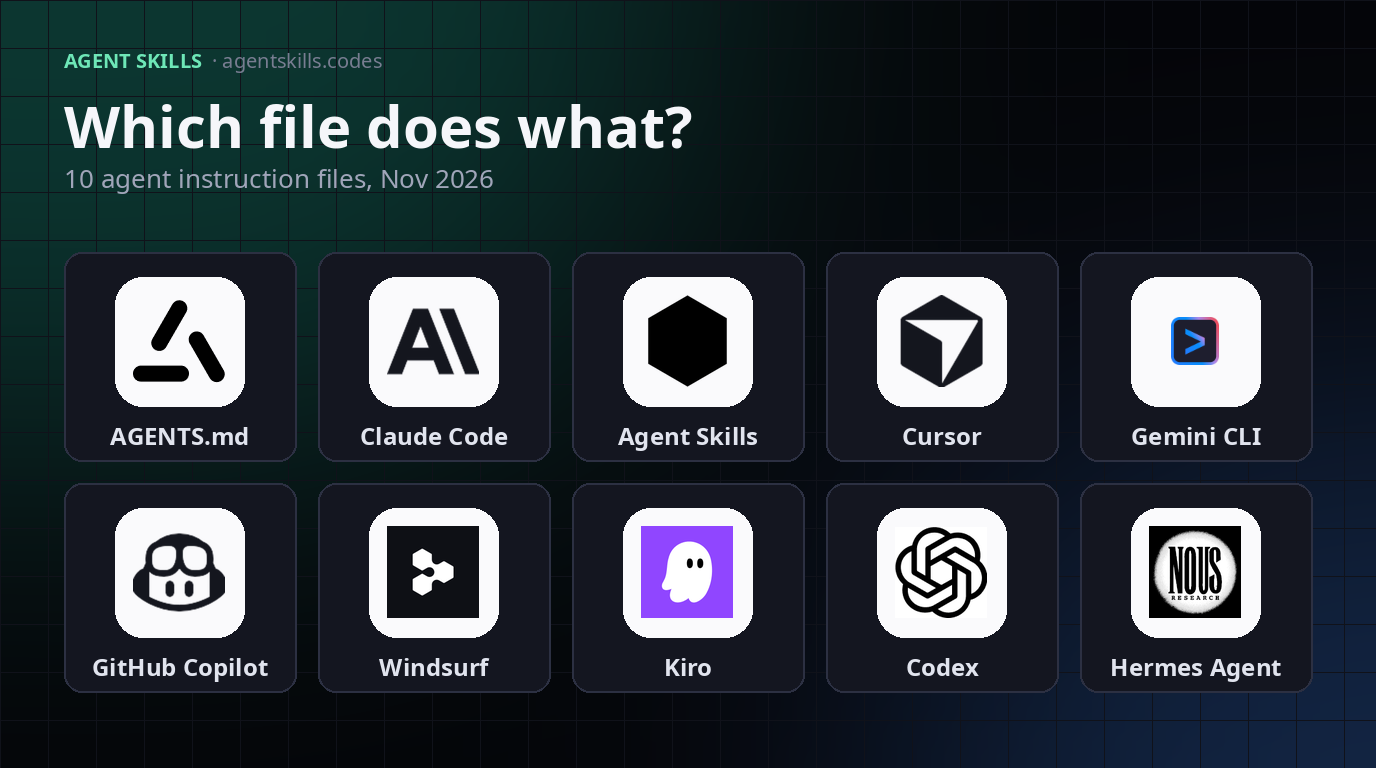
If you have ever opened a repository and found AGENTS.md, CLAUDE.md, GEMINI.md, .cursor/rules/, .github/copilot-instructions.md and a skills/ folder all at once, you have met the problem this guide solves. Every AI coding tool invented its own place to put project instructions, then the ecosystem started converging on two shared formats: AGENTS.md for always-on project guidance and SKILL.md for on-demand procedures. The result is a pile of overlapping files and a lot of folklore about which one does what.
The short version: AGENTS.md is the closest thing to a universal "README for agents", CLAUDE.md is Claude Code's own memory file (which now falls back to AGENTS.md), SKILL.md is an open standard for packaged, load-on-demand know-how, and Cursor rules are Cursor's scoped, frontmatter-driven layer on top. This guide takes each file, says who reads it, where it lives, how it loads, what the limits are, and when to skip it. Everything below was checked against vendor docs fetched on November 25, 2026.
An independent walkthrough of the same three-way question. We verified the video exists and its title via YouTube oEmbed; we did not use its claims as sources.
The short answer
Three jobs hide behind these filenames, and mixing them up is the main source of bloated, ignored instruction files.
- Always-on project guidance (build commands, conventions, "never do X"):
AGENTS.md,CLAUDE.md,GEMINI.md,.github/copilot-instructions.md, Cursor "Always Apply" rules, Kiro steering withinclusion: always. - On-demand procedures and reference material (a deploy checklist, an API style guide, a release workflow):
SKILL.mdfolders under.claude/skills/,.agents/skills/,.cursor/skills/and similar. - Deterministic automation (block
rm -rf, run the linter after every edit): hooks, which are configuration that runs code, not instructions the model may or may not follow.
Quick picks, as of November 25, 2026:
- Best default for a multi-tool team: a single root
AGENTS.md. It is read natively by Codex, Cursor, GitHub Copilot, Windsurf (now Devin Desktop), Kiro and Hermes, and by Claude Code when noCLAUDE.mdexists. - Best if your team is Claude Code only:
CLAUDE.mdplus.claude/rules/for path-scoped rules, withAGENTS.mdimported if other tools also need it. - Best for reusable workflows across every tool:
SKILL.mdfolders. The format is documented by Claude Code, Codex, Cursor, Gemini CLI, GitHub Copilot, Windsurf and Hermes. - Best for file-pattern scoping inside Cursor:
.cursor/rules/*.mdcwithglobs. - Best for "this must always happen": a hook, not a rule and not a skill.
- Best for personality and tone in Hermes Agent:
SOUL.md, which is global to the Hermes instance, not per project.
Master table: who reads which file (as of November 25, 2026)
Read this table as "documented in the vendor docs we fetched". A "Not documented" cell means we did not find it on the pages we read, not that the tool cannot do it. Behavior changes quickly, so re-check before relying on a cell.
| Owning tool and file | Claude Code | Codex | Cursor | Gemini CLI | GitHub Copilot | Windsurf / Devin | Kiro | Hermes Agent |
|---|---|---|---|---|---|---|---|---|
AGENTS.md | Yes, but only when no CLAUDE.md is in or above the working directory (v2.1.277+) | Yes, native | Yes, root and subdirectories | Via context.fileName setting | Yes, nearest one wins | Yes, always-on | Yes, always included | Yes |
CLAUDE.md | Yes, native | Not documented (fallback names are configurable) | Not documented in Cursor docs | Via context.fileName setting | Yes, single file in repo root | Not documented on pages we read | Not documented | Yes, after AGENTS.md |
GEMINI.md | Not documented | Not documented | Not documented | Yes, native | Yes, single file in repo root | Not documented | Not documented | Not documented |
SKILL.md folder | Yes | Yes | Yes | Yes | Yes | Yes | Not documented on the steering page | Yes |
| Tool-native rules file | .claude/rules/*.md | AGENTS.override.md | .cursor/rules/*.mdc | none | .github/instructions/*.instructions.md | .devin/rules/*.md | .kiro/steering/*.md | .hermes.md, SOUL.md |
And the same information by file, with the owner's logo, the format, and the limit that matters most:
| File | What it is | Format | Where it lives | Key limit or caveat |
|---|---|---|---|---|
 AGENTS.md | Open "README for agents" | Plain Markdown, no required fields | Repo root, nested dirs | No size limit stated on agents.md |
 CLAUDE.md | Claude Code project memory | Markdown with @path imports | ./CLAUDE.md, .claude/CLAUDE.md, ~/.claude/CLAUDE.md, CLAUDE.local.md, managed policy path | Target under 200 lines per file (guidance) |
 SKILL.md | Open skill format | YAML frontmatter plus Markdown | <tool>/skills/<name>/SKILL.md | Spec: name 64 chars, description 1,024 chars, body under 500 lines recommended |
 Cursor rules | Scoped rules | .mdc with description, globs, alwaysApply | .cursor/rules/ | Keep rules under 500 lines (advice) |
 GEMINI.md | Hierarchical context file | Markdown with @file.md imports | ~/.gemini/GEMINI.md, workspace and parents, JIT | No limit documented on the page we read |
 copilot-instructions.md | Repo-wide and path-specific instructions | Markdown, applyTo frontmatter for path files | .github/copilot-instructions.md, .github/instructions/ | Personal beats repo beats org, all are sent |
 .windsurfrules | Legacy rules file, still imported | Markdown | Repo root; newer .devin/rules/ | Docs now describe Devin Desktop |
 Kiro steering | Steering files with inclusion modes | Markdown with inclusion frontmatter | .kiro/steering/, ~/.kiro/steering/ | Workspace beats global |
 Codex config | AGENTS.md discovery knobs in config.toml | TOML | ~/.codex/config.toml | project_doc_max_bytes, 32 KiB default |
 Hermes SOUL.md / skills | Global persona file plus skills | Markdown | ~/.hermes/SOUL.md, ~/.hermes/skills/ | Per-file character cap scales with context window |
How the pieces fit together
A useful mental model is how much context each mechanism costs and who decides it loads.
| Mechanism | Who decides it loads | Context cost | Enforced? |
|---|---|---|---|
Always-on file (AGENTS.md, CLAUDE.md, GEMINI.md) | The tool, at session start (nested files load when the agent works in that directory) | Paid on every request | No, it is context |
Scoped rule (Cursor globs, Claude paths, Copilot applyTo, Kiro fileMatch) | The tool, when a matching file is in play | Paid only when matching | No |
Skill (SKILL.md) | The model, from the description, or you by slash command | Low: descriptions every request, body only when used | No |
| Hook | An event (tool call, file edit, session start) | Zero unless the hook returns context | Yes, it runs your code |
Anthropic's own docs state the enforcement point bluntly: "Claude treats CLAUDE.md files and auto memory as context. They aren't enforced configuration. To block an action regardless of what Claude decides, use a PreToolUse hook instead." That sentence applies equally to AGENTS.md, Cursor rules and every other file in this guide. They are all text the model reads, and models follow text probabilistically.
Governance also matters for portability. OpenAI released AGENTS.md in August 2025 and, on December 9, 2025, contributed it to the Agentic AI Foundation (AAIF), a Linux Foundation directed fund co-founded with Anthropic and Block. On October 22, 2026, Anthropic donated the Agent Skills standard to the same foundation, per Anthropic's and the AAIF's announcements. So both shared formats now sit under neutral governance, which is a good reason to prefer them over single-vendor files when you can.
The ClaudeDevs post above is vendor-reported: it says 70+ agent platforms have integrated the standard since December 2025. One independent write-up (wild.codes, October 23, 2026) said it could not reproduce that number and counted 46 products in the standard's own public client list at the time. Treat "70+" as a vendor claim, not a measurement.
AGENTS.md: the cross-tool README for agents
What it is. A plain Markdown file at the top of your repo that tells coding agents how to work there. agents.md describes it as "a README for agents: a dedicated, predictable place to provide the context and instructions to help AI coding agents work on your project." README.md stays concise and human-focused; AGENTS.md carries build steps, test commands and conventions that would clutter it. The site says it is used by "over 60k open-source projects" (OpenAI's December 2025 announcement says more than 60,000 projects, so treat it as vendor-reported).
Who reads it. Per OpenAI's announcement, adopters include Amp, Codex, Cursor, Devin, Factory, Gemini CLI, GitHub Copilot, Jules and VS Code. Per each tool's own docs we fetched: Codex, Cursor, GitHub Copilot, Windsurf, Kiro and Hermes read it natively. Claude Code reads it only when no CLAUDE.md exists. Gemini CLI needs context.fileName to include it.
Location and precedence. Repo root, plus optional nested files in subdirectories. The spec's rule: "The closest AGENTS.md to the edited file wins; explicit user chat prompts override everything." The format has no required fields: "No. AGENTS.md is just standard Markdown. Use any headings you like."
Size limit. None is stated on agents.md. Individual tools impose their own caps: Codex stops adding files at 32 KiB by default (see the Codex section), Hermes truncates at a character cap that scales with the model's context window.
Pros
- One file serves many tools, so you maintain one copy.
- Plain Markdown, no frontmatter, nothing to learn.
- Nested files give monorepos per-package guidance.
- Neutral governance under the Linux Foundation.
Cons
- No scoping by glob or description in the format itself: it is always on.
- Tools disagree on details: nested support, deduplication, and whether
CLAUDE.mdwins. - Because it is always loaded, every line costs context on every request.
Benefits for you. If your team uses more than one agent, this is the lowest-friction way to stop repeating yourself. Put build, test and convention lines here, and use skills for the long procedures.
Skip it if your whole team is on one tool with richer native scoping and you do not expect that to change. Even then, a thin AGENTS.md costs little.
A minimal example (written by us for illustration, not copied from a vendor):
## Setup
- Install dependencies: `pnpm install`
- Start the dev server: `pnpm dev`

## Testing
- Run `pnpm test` before every commit and fix failures.

## Conventions
- TypeScript strict mode, no default exports.
- Commit titles: `[package] short summary`.

## Deeper procedures
- For releases, use the `release-checklist` skill.
The last line is the pattern worth copying: keep the always-on file short and point at skills for the heavy material.
For another angle on one specific AGENTS.md implementation, see the AgentPedia Antigravity AGENTS.md guide. This guide is the cross-tool comparison.
CLAUDE.md: Claude Code's memory file
What it is. Claude Code's persistent project instructions. Each session starts with a fresh context window, and CLAUDE.md carries knowledge across sessions. Claude Code also keeps "auto memory", notes Claude writes itself, which is a separate mechanism (the first 200 lines or 25KB of MEMORY.md load in sessions with auto memory on).
Who reads it. Claude Code. GitHub Copilot's docs also say you can use "a single CLAUDE.md or GEMINI.md file stored in the root of the repository", and Hermes Agent detects it as a fallback.
Locations, in load order from broadest to most specific.
| Scope | Location |
|---|---|
| Managed policy | macOS /Library/Application Support/ClaudeCode/CLAUDE.md; Linux and WSL /etc/claude-code/CLAUDE.md; Windows C:\Program Files\ClaudeCode\CLAUDE.md |
| User | ~/.claude/CLAUDE.md |
| Project | ./CLAUDE.md or ./.claude/CLAUDE.md |
| Local (gitignored) | ./CLAUDE.local.md |
Precedence and loading. This is the part people get wrong, because it is not "closest wins". Per the docs: "All discovered files are concatenated into context rather than overriding each other." Files from the filesystem root down to your working directory are ordered so "instructions closer to where you launched Claude are read last". Ancestor files load at launch. CLAUDE.md files in subdirectories under your working directory load on demand, once Claude reads or edits a file there. If two instructions contradict each other, the docs warn Claude "may pick one arbitrarily", so audit for conflicts. In large monorepos the claudeMdExcludes setting skips ancestor files by path or glob, but cannot exclude a managed CLAUDE.md.
Imports. @path imports pull other files in. Relative paths resolve from the importing file, and imports can nest to a maximum depth of four hops. Imports organize a file but do not reduce its context cost.
Rules. For larger projects, .claude/rules/*.md files hold one topic each. A rule with paths frontmatter only loads when Claude works with matching files.
Size guidance. "Target under 200 lines per CLAUDE.md file. Longer files consume more context and reduce adherence." That is advice, not a hard cap.
How it treats AGENTS.md. Since v2.1.277, Claude Code can read AGENTS.md directly, but only by default when you have no CLAUDE.md in the working directory or above it. The docs' table:
| Your repository has | Claude reads |
|---|---|
AGENTS.md, no CLAUDE.md or CLAUDE.local.md in or above the working directory | Your AGENTS.md |
AGENTS.md and a CLAUDE.md or CLAUDE.local.md | Your CLAUDE.md files only |
A CLAUDE.md that imports AGENTS.md | Your CLAUDE.md, with AGENTS.md included via the import |
Note the gotcha the docs call out: because CLAUDE.local.md counts, adding one to keep your own uncommitted notes stops Claude from reading AGENTS.md for you. Set Project instructions to claude-md-and-agents-md in /config to read both. The other values are claude-md-or-agents-md (default), claude-md and managed-only.
Pros
- The richest layering of any tool here: managed policy, user, project, local, rules, imports.
- Path-scoped rules keep the main file small.
- Clear exclusion controls for monorepos.
Cons
- Claude-specific. Other tools mostly do not read it.
- Concatenation means conflicts are resolved by the model, not by the tool.
- Always loaded, so long files hurt adherence.
Benefits for you. If Claude Code is your main agent, this is where "always do X" belongs. The recommended pattern for mixed teams is a CLAUDE.md containing one line, @AGENTS.md, plus any Claude-only additions.
Skip it if every repo already has a good AGENTS.md and nobody on the team needs Claude-only instructions. Claude Code will read the AGENTS.md by itself.
@AGENTS.md

## Claude Code only
- Use plan mode for changes touching more than three files.
SKILL.md: the Agent Skills standard
What it is. An open standard for packaging instructions, scripts and reference files so an agent loads them only when relevant. A skill is a folder containing a SKILL.md file with YAML frontmatter (name, description) and Markdown instructions. Optional folders hold scripts, references and assets. Anthropic announced skills on October 16, 2025 (the @claudeai post above), published the open spec in December 2025, and donated it to the AAIF on October 22, 2026.
Who reads it. Claude Code, Codex, Cursor, Gemini CLI, GitHub Copilot, Windsurf (Devin) and Hermes all document SKILL.md support. Each has its own search paths (table below).
What the spec says. Fields per agentskills.io's specification:
| Field | Required | Constraint |
|---|---|---|
name | Yes | Max 64 characters, lowercase letters, numbers, hyphens, not starting or ending with a hyphen |
description | Yes | Max 1,024 characters, non-empty, says what the skill does and when to use it |
license | No | License name or bundled license file |
compatibility | No | Max 500 characters, environment requirements |
allowed-tools | No | Space-separated pre-approved tools (marked experimental) |
Loading: progressive disclosure. The spec's three levels: metadata (about 100 tokens: name and description loaded at startup for all skills), instructions (under 5,000 tokens recommended, loaded when the skill activates), and resources loaded as needed. "Keep your main SKILL.md under 500 lines. Move detailed reference material to separate files."
Where each tool looks (as documented, project level unless noted).
| Tool | Skill locations |
|---|---|
| Claude Code | .claude/skills/<name>/SKILL.md (project), ~/.claude/skills/ (personal), enterprise managed directory, nested .claude/skills/ in subdirectories, plugin skills as /plugin-name:skill-name. The page we fetched did not list .agents/skills/. |
| Codex | .agents/skills in every directory from the working directory up to the repo root, $HOME/.agents/skills, plus admin and system locations |
| Cursor | .agents/skills/, .cursor/skills/, ~/.agents/skills/, ~/.cursor/skills/, and for compatibility .claude/skills/, .codex/skills/ and their ~/ equivalents |
| Gemini CLI | .gemini/skills/ or .agents/skills/ (workspace), ~/.gemini/skills/ or ~/.agents/skills/ (user), plus extension and built-in skills |
| GitHub Copilot | .github/skills, .claude/skills, .agents/skills (project); ~/.copilot/skills, ~/.agents/skills (personal) |
| Windsurf / Devin | .devin/skills/ (workspace; .agents/skills/ and legacy .windsurf/skills/ also read), ~/.config/devin/skills/ (global; ~/.agents/skills/ also read) |
| Hermes Agent | ~/.hermes/skills/ as the source of truth |
The .agents/skills/ path is the emerging neutral location: Codex, Cursor, Gemini CLI, GitHub Copilot and Windsurf (Devin) read it at project level, and Copilot and Windsurf also read ~/.agents/skills/ at user level. Claude Code is the notable one whose fetched docs do not list it. We found no statement of Claude Code's plans either way, so if you want one skill folder for every tool, symlink or copy into .claude/skills/ as well and test.
Invocation. Claude Code can invoke a skill itself or you can type /skill-name; setting disable-model-invocation: true removes it from Claude's automatic choices. In Claude Code the combined description and when_to_use text is truncated at 1,536 characters in the skill listing, and the listing has a character budget of 1% of the model's context window, so front-load the trigger words. Codex supports explicit ($skill, /skills) and implicit invocation, with allow_implicit_invocation defaulting to true. Gemini CLI uses an activate_skill tool. Cursor also accepts paths to scope a skill to matching files.
Pros
- Portable across the major agents.
- Low standing context cost: descriptions only until used.
- Can ship scripts and reference files, not just text.
- Good fit for team-shared, versioned procedures.
Cons
- Not guaranteed to load. The model decides from the description. A Cursor forum answer says it plainly: skills "aren't a guarantee".
- Discovery paths still differ per tool.
- Many skills means a large listing; unused ones cost context every turn.
Benefits for you. Anything you paste into chat for the third time belongs in a skill. Anthropic's feature guide uses almost those words: capture a procedure "as a skill" once you have pasted the same playbook "for the third time".
Skip it if the instruction must apply to every task. Put that in AGENTS.md or CLAUDE.md, or enforce it with a hook.
---
name: release-checklist
description: Run the release checklist: bump version, update changelog, tag, and verify CI. Use when the user asks to cut or prepare a release.
---

1. Confirm the working tree is clean.
2. Bump the version in `package.json` and update `CHANGELOG.md`.
3. Run `pnpm test` and `pnpm build`.
4. Tag with `git tag vX.Y.Z` and stop for human approval before pushing.
If you need a starting point, the catalog's skill-creator walks through authoring one.
Cursor rules: .cursor/rules and .mdc
What it is. Cursor's native instruction layer. Cursor's docs say "Rules provide system-level instructions to Agent." There are four sources: Project Rules, User Rules, Team Rules (Team and Enterprise plans, managed from the dashboard) and AGENTS.md.
Who reads it. Cursor only. Hermes Agent can read .cursor/rules/*.mdc and .cursorrules as a last-resort project context, which is a compatibility convenience, not a Cursor feature.
Format and location. Project rules are .mdc files in .cursor/rules/, and you can organize them into subfolders. The docs are explicit: "A plain .md file in .cursor/rules is ignored by the rules system because it has no frontmatter to specify description, globs, and alwaysApply. If you prefer plain markdown, use AGENTS.md instead."
How a rule gets applied. Three frontmatter fields decide it, per Cursor's table:
alwaysApply | description | globs | Behavior |
|---|---|---|---|
true | any | any | Always included. Globs and description are ignored. |
false | none | provided | Auto-attached when a matching file is in context. |
false | provided | omitted | The agent reads the description and pulls the rule in when relevant. |
false | omitted | omitted | Included only when you @-mention the rule in chat. |
In the UI these are the four rule types: Always Apply, Apply Intelligently, Apply to Specific Files, Apply Manually.
Precedence. From the Team Rules section: "Rules are applied in this order: Team Rules, Project Rules, User Rules. All applicable rules are merged; earlier sources take precedence when guidance conflicts." (The docs write the order with arrows; we render it as commas.) Non-enforced Team Rules can be disabled by users unless "Enforce this rule" is on. Cursor adds that "AI guidance should not be your only security control."
Size guidance. "Keep rules under 500 lines." That is advice in the docs, not a hard cap we found.
AGENTS.md in Cursor. Cursor supports it "in the project root and subdirectories" as "an alternative to .cursor/rules for straightforward use cases". A Cursor forum answer from October 29, 2026 spells out the nested behavior: a nested AGENTS.md "is combined with parent AGENTS.md files, and the more specific one wins." That is a forum reply, not the docs, so treat it as informal.
Pros
- The finest-grained scoping of any file in this guide: always, glob, description, manual.
- Subfolder organization for big repos.
- Team Rules give an admin-managed layer.
Cons
- Cursor-specific.
.mdcis not read elsewhere. - Plain
.mdfiles in the rules folder silently do nothing. - Cursor's own learning material now steers occasional-use content to skills: "If you only need something occasionally, put it in a skill instead."
Benefits for you. Use a glob-scoped rule when a convention must kick in whenever files in a folder are touched. The forum answer is correct on why: skills are "picked by the agent based on their description, so they aren't a guarantee", while a glob rule "is auto-attached whenever a matching file is in context, no relevance call by the agent".
Skip it if you want one portable file. Write AGENTS.md, and only add .cursor/rules/*.mdc for things that truly need a glob or a manual switch.
---
description: React component conventions
globs: src/components/**/*.tsx
alwaysApply: false
---

- Use function components and hooks, no class components.
- Co-locate tests as `Component.test.tsx`.
- Do not add new dependencies without asking.
Cursor announced Agent Skills on January 23, 2026 (post above). Cursor loads skills from .agents/skills/, .cursor/skills/ and, for compatibility, .claude/skills/ and .codex/skills/. Its skill frontmatter adds paths (glob scoping) and disable-model-invocation.
GEMINI.md: Gemini CLI context files

What it is. The default name for Gemini CLI's context files. The docs describe using them "to give project-specific instructions, define a persona, or provide coding style guides."
Loading order. Gemini CLI "loads various context files from several locations, concatenates the contents of all found files, and sends them to the model with every prompt." In order: a global file at ~/.gemini/GEMINI.md; files in your workspace directories and their parent directories; and just-in-time files, found when a tool accesses a file or directory, scanned in that directory and its ancestors "up to a trusted root". The CLI footer shows how many context files are loaded.
Commands and imports. /memory show prints the full concatenated context; /memory reload rescans. Large files can be split with @file.md imports, relative or absolute.
Reading AGENTS.md. Gemini CLI does not read AGENTS.md by default in the page we fetched, but you can set the filename list in settings.json: the docs show "context": { "fileName": ["AGENTS.md", "CONTEXT.md", "GEMINI.md"] }. GitHub Copilot's docs separately accept a root GEMINI.md as agent instructions.
Skills. Gemini CLI's skills doc draws the same line as everyone else: "Unlike general context files (GEMINI.md), which provide persistent workspace-wide background, Skills represent on-demand expertise." Its skill precedence, lowest to highest, is built-in, extension, user, workspace, and within a tier .agents/skills/ beats .gemini/skills/.
Pros: clear three-tier hierarchy, inspection commands, configurable filenames. Cons: concatenated and sent with every prompt, so size is your problem; no documented size cap on the page we read; AGENTS.md requires a config change. Skip it if you already point Gemini at AGENTS.md through context.fileName.
{
  "context": {
    "fileName": ["AGENTS.md", "GEMINI.md"]
  }
}
copilot-instructions.md: GitHub Copilot
What it is. GitHub Copilot's repository custom instructions. GitHub documents three kinds for the repository: repository-wide .github/copilot-instructions.md, path-specific .github/instructions/NAME.instructions.md files with an applyTo glob in frontmatter, and agent instructions in AGENTS.md.
Precedence. Two separate rules, both quoted from GitHub's docs:
- For
AGENTS.md: "the nearestAGENTS.mdfile in the directory tree will take precedence." You can also use "a singleCLAUDE.mdorGEMINI.mdfile stored in the root of the repository." - Across instruction types: "Personal instructions take the highest priority. Repository instructions come next, and then organization instructions are prioritized last. However, all sets of relevant instructions are provided to Copilot."
- If a path-specific file matches and a repository-wide file also exists, "the instructions from both files are used."
Scoping controls. applyTo takes glob syntax, for example "**/*.ts,**/*.tsx". An optional excludeAgent keyword takes "code-review" or "cloud-agent" to keep a file away from one of them. The file name must end in .instructions.md.
Skills. Copilot reads SKILL.md folders from .github/skills, .claude/skills or .agents/skills in a repo, and ~/.copilot/skills or ~/.agents/skills for personal skills.
Pros: its docs name AGENTS.md, CLAUDE.md and GEMINI.md as accepted instruction files; path-specific files with per-agent exclusion. Cons: more file types than anyone else, so it is easy to scatter guidance; no size limits found on the page we fetched. Skip it if you only use Copilot chat inline and have nothing repo-specific to say.
---
applyTo: "app/models/**/*.rb"
---

Use `scope` for reusable queries and never call `update_all` without a comment explaining why.
.windsurfrules and Windsurf (now Devin Desktop)
What it is. .windsurfrules was Windsurf's rules file. The current docs we fetched are titled "Devin Local Customizations" and describe the editor as Devin Desktop. The legacy files still work: "The legacy .windsurf/rules/*.md, .windsurf/global_rules.md, and .windsurfrules files are imported by default."
Current layout. Rules go in .devin/rules/*.md, one rule per file, with trigger frontmatter: always_on (every session), glob (when the agent works with files matching globs), model_decision (when the agent decides the description is relevant), manual (only when invoked). There is also .devin/global_rules.md and a home-directory equivalent. "When both global_rules.md files exist, only .devin/global_rules.md loads."
AGENTS.md. "The simplest way to add rules is an AGENTS.md file at your project root." AGENTS.md, AGENTS.local.md and AGENT.md "are all read as always-on rules", at the workspace root and in each directory down to where the agent is working.
Advice from the docs: "Prefer a skill for anything the agent needs only sometimes, and use a rule to point the agent at the skills it should use in particular scenarios." That is the same split this whole guide recommends.
Pros: trigger modes mirror Cursor's; legacy files keep working; reads AGENTS.md and AGENTS.local.md. Cons: product naming is in flux (Windsurf, Devin Desktop, Devin Local), which makes older tutorials misleading. Skip it if you are starting fresh: use AGENTS.md and .devin/rules/ and ignore .windsurfrules.
Kiro steering

What it is. Markdown files in .kiro/steering/ that give Kiro "persistent knowledge about your workspace". The docs describe three foundational files Kiro can generate: product.md (purpose and users), tech.md (stack and constraints) and structure.md (organization and naming).
Scopes and precedence. Workspace steering lives in .kiro/steering/; global steering lives in ~/.kiro/steering/. "In case of conflicting instructions between global and workspace steering, Kiro will prioritize the workspace steering instructions." Teams can push global files out with MDM or group policy.
Inclusion modes (YAML frontmatter at the very start of the file): always (the default), fileMatch with fileMatchPattern, manual (type #name or pick from the / menu), and auto with name and description, which "works similarly to skills".
AGENTS.md. Kiro "supports providing steering directives via the AGENTS.md standard", with a catch: "AGENTS.md files do not support inclusion modes and are always included." They are picked up from the workspace root, ~/.kiro/steering/, and subdirectories. With custom agents, steering files are not automatically included; you must add them under the agent's resources.
Pros: the most explicit inclusion modes of any tool, including a skills-like auto mode; clear global versus workspace precedence. Cons: Kiro-specific frontmatter; custom agents need manual wiring. Skip it if you do not use Kiro. Its AGENTS.md support means a shared file is enough.
---
inclusion: fileMatch
fileMatchPattern: "components/**/*.tsx"
---

Component standards:

- Every component exports a typed props interface.
Codex config: AGENTS.md discovery in config.toml
What it is. Codex's instruction file is AGENTS.md; the "Codex config" part is the set of knobs in ~/.codex/config.toml that control how it is found and how much is read. Codex is also where AGENTS.md began: OpenAI says it "began as a practical solution" because "Codex needed a predictable way to find project-specific instructions."
Discovery order. Per the Codex docs:
- Global scope: in
~/.codex(orCODEX_HOME), Codex readsAGENTS.override.mdif it exists, otherwiseAGENTS.md, and "uses only the first non-empty file at this level". - Project scope: starting at the project root (typically the Git root), Codex walks down to your working directory. In each directory it checks
AGENTS.override.md, thenAGENTS.md, then any names inproject_doc_fallback_filenames, and includes at most one file per directory. - Merge order: "Codex concatenates files from the root down, joining them with blank lines. Files closer to your current directory override earlier guidance because they appear later in the combined prompt."
Size limit. "Codex skips empty files and stops adding files once the combined size reaches the limit defined by project_doc_max_bytes (32 KiB by default)." This is the one hard, documented byte cap among the always-on files in this guide.
project_doc_fallback_filenames = ["TEAM_GUIDE.md", ".agents.md"]
project_doc_max_bytes = 65536
Skills. Codex scans .agents/skills in every directory from the working directory to the repo root, plus $HOME/.agents/skills. It "starts with each skill's name and description, then load[s] the full SKILL.md instructions when [it] decide[s] to use that skill."
Pros: explicit override file for personal tweaks, tunable fallback names and byte cap. Cons: the cap silently drops later files once reached; Codex reads only from the project root down to the working directory, so it does not pick up sibling subdirectories the way on-demand loaders do (the Codex page describes a root-to-working-directory walk, so we read it that way, but we did not test it). Skip it if your AGENTS.md files are tiny and you never hit 32 KiB.
Hermes Agent: SOUL.md, project context and skills

What it is. Hermes Agent, from Nous Research, discovers several context files. Its docs say "Some are project-local and discovered from your working directory. SOUL.md is now global to the Hermes instance and is loaded from HERMES_HOME only."
The file list.
| File | Purpose | Discovery |
|---|---|---|
.hermes.md / HERMES.md | Project instructions (highest priority) | Walks to git root |
AGENTS.override.md | Personal override of AGENTS.md, typically gitignored | CWD at startup plus subdirectories progressively |
AGENTS.md | Project instructions | CWD at startup plus subdirectories progressively |
CLAUDE.md | Claude Code context file, also detected | CWD at startup plus subdirectories progressively |
SOUL.md | Global personality and tone for this Hermes instance | HERMES_HOME/SOUL.md only |
.cursorrules, .cursor/rules/*.mdc | Cursor rules | CWD only |
Precedence, quoted. "Only one project context type is loaded per session (first match wins): .hermes.md, AGENTS.override.md, AGENTS.md, CLAUDE.md, .cursorrules. SOUL.md is always loaded independently as the agent identity." Inside a git repo Hermes loads a merged chain of AGENTS.md files from the git root down to your working directory, "Deeper files appear later in the prompt, so more specific guidance takes precedence." Outside a git repo only the working directory is checked, so a stray file in /tmp or $HOME cannot leak in.
Limits. Files over the cap are head/tail truncated (70% head, 20% tail). The cap is context_file_max_chars if set; otherwise it scales with the model's context window, with a floor of 20,000 characters and a ceiling of 500,000. Context files also go through a security scan before loading.
Skills. "Skills are on-demand knowledge documents the agent can load when needed", following progressive disclosure and "compatible with the agentskills.io open standard". They live in ~/.hermes/skills/.
Pros: the only tool here with a separate global identity file; reads AGENTS.md, CLAUDE.md and Cursor files; override file for personal tweaks. Cons: "first match wins" means a CLAUDE.md is ignored the moment an AGENTS.md exists, which differs from Claude Code's own order. Skip it if you never run Hermes. Writing SOUL.md is only relevant to Hermes users.
Feature and precedence matrix
Quoted or closely paraphrased from each vendor's docs, as of November 25, 2026.
| Tool | Always-on file | Scoped / conditional | Skills path | Precedence or merge rule | Documented size guidance |
|---|---|---|---|---|---|
| Claude Code | CLAUDE.md, AGENTS.md fallback | .claude/rules/*.md with paths | .claude/skills/ | Concatenated, closer to cwd read last; subdirectory files load on demand | Under 200 lines per CLAUDE.md (advice) |
| Codex | AGENTS.md, AGENTS.override.md | Nested dirs | .agents/skills | Root-down concatenation, closer files later | 32 KiB combined (project_doc_max_bytes) |
| Cursor | AGENTS.md, rules with alwaysApply | globs, description, manual | .cursor/skills/, .agents/skills/ | Team, then Project, then User, merged | Rules under 500 lines (advice) |
| Gemini CLI | GEMINI.md | JIT scan of ancestors | .gemini/skills/, .agents/skills/ | Concatenated: global, workspace, JIT | None documented on page read |
| GitHub Copilot | .github/copilot-instructions.md, AGENTS.md | .instructions.md with applyTo | .github/skills, .agents/skills | Personal, then repo, then org; all provided; nearest AGENTS.md wins | None documented on page read |
| Windsurf / Devin | AGENTS.md, always_on rules | glob, model_decision, manual | ~/.config/devin/skills/ | .devin/global_rules.md wins over .windsurf one | None documented on page read |
| Kiro | inclusion: always, AGENTS.md | fileMatch, auto, manual | Not on the steering page | Workspace steering beats global | None documented on page read |
| Hermes Agent | AGENTS.md chain, SOUL.md | Subdirectory discovery | ~/.hermes/skills/ | First match among .hermes.md, AGENTS.md, CLAUDE.md, .cursorrules; deeper AGENTS.md later | Cap scales with context window, floor 20,000 chars |
The pattern across the table: nearly everyone concatenates and lets the model reconcile conflicts, and "closer is read later" is the common tie-break. The exceptions are Cursor (an explicit Team, Project, User order), Copilot (personal over repo over org) and Hermes (first match wins across file types).
Head-to-head: AGENTS.md vs CLAUDE.md
This is the most searched pair, and the honest answer is that they are not rivals anymore.
| Question | AGENTS.md | CLAUDE.md |
|---|---|---|
| Owner | Open format, AAIF project, started by OpenAI | Anthropic's Claude Code |
| Who reads it | Codex, Cursor, Copilot, Windsurf, Kiro, Hermes, Claude Code (fallback) | Claude Code; Copilot and Hermes also accept it |
| Format | Plain Markdown, no fields | Markdown plus @path imports |
| Layers | Root and nested | Managed policy, user, project, local, nested |
| Tie-break | Closest file wins; chat prompt overrides | All concatenated, closer to cwd read last |
| Personal override | AGENTS.override.md (Codex, Hermes); AGENTS.local.md (Windsurf) | CLAUDE.local.md |
| Size advice | None in the format; tool caps apply | Under 200 lines |
Pick this: write AGENTS.md, and add a CLAUDE.md containing @AGENTS.md only if you need Claude-only lines or CLAUDE.local.md. Claude Code reads AGENTS.md alone when no CLAUDE.md exists, but one local file silently turns that off.
Head-to-head: Cursor rules vs AGENTS.md
| Question | Cursor rules (.mdc) | AGENTS.md |
|---|---|---|
| Portability | Cursor only | Many tools |
| Scoping | globs, description, manual, always | Directory nesting only |
| Admin control | Team Rules with enforce toggle | None |
| Format | .mdc with frontmatter | Plain Markdown |
| Failure mode | Plain .md in the folder is ignored | Always loaded, so it grows |
Pick this: AGENTS.md for everything portable, one or two glob-scoped .mdc rules for the conventions that must auto-attach to a folder. Cursor's own docs call AGENTS.md "an alternative to .cursor/rules for straightforward use cases".
Head-to-head: Cursor rules vs skills
A hands-on comparison from a third party; verified via oEmbed, used for orientation only.
| Question | Cursor rules | Skills |
|---|---|---|
| When loaded | Per rule type; always-apply rules every conversation | Only when relevant or invoked |
| Who decides | Tool (always, glob) or agent (description) | Agent from description, or you with /name |
| Best for | Short always-on conventions | Multi-step procedures |
| Can bundle scripts | No | Yes |
| Guaranteed to apply | Yes for alwaysApply and matching globs | No |
Cursor's customization guide puts it in one table: rules load "Every conversation" for "Always-on conventions"; skills load "Only when relevant" for "Specialized workflows". Pick this: a rule if skipping it would cause a bug, a skill if it is a how-to you need sometimes.
Head-to-head: Claude Code hooks vs skills
| Question | Hooks | Skills |
|---|---|---|
| What it is | User-defined shell commands, HTTP endpoints, MCP tool calls, prompts or subagents that run at lifecycle events | A Markdown folder the model reads |
| Triggered by | Events (for example PreToolUse) | Model relevance or /name |
| Context cost | "Zero, unless hook returns additional context" | Descriptions every request, body when used |
| Deterministic | Yes: it runs your code | No: it is guidance |
| Configured in | settings.json (~/.claude/, .claude/, .claude/settings.local.json) | .claude/skills/<name>/SKILL.md |
Anthropic's example blocks rm with a PreToolUse hook that returns a permissionDecision of deny. Pick this: a hook when something must happen or must not happen every time (lint after edit, block a command); a skill when Claude should know how to do a task well. They combine: a skill can describe the workflow while a hook guards its dangerous step.
{
  "hooks": {
    "PreToolUse": [
      {
        "matcher": "Bash",
        "hooks": [
          { "type": "command", "if": "Bash(rm *)", "command": "${CLAUDE_PROJECT_DIR}/.claude/hooks/block-rm.sh" }
        ]
      }
    ]
  }
}
Head-to-head: Claude Code plugins vs skills
Plugins and skills are not competitors, because one contains the other. Anthropic's features guide: "Plugins are the packaging layer. A plugin bundles skills, hooks, subagents, and MCP servers into a single installable unit. Plugin skills are namespaced (like /my-plugin:review) so multiple plugins can coexist."
| Question | Skill | Plugin |
|---|---|---|
| Scope | One procedure | A bundle: skills, hooks, subagents, MCP servers |
| Invocation | /deploy | /plugin-name:skill-name |
| Distribution | Commit the folder, copy it, or symlink | Install once, share across repos and teams via a marketplace |
| Portability | Open standard, many tools | Claude Code packaging (Windsurf's docs describe its own plugin bundles) |
Anthropic's trigger list is practical: "A second repository needs the same setup" means "Package it as a plugin". Until then, a plain skill folder is simpler and more portable.
Skills and MCP servers that work with these tools
These are real agentskills.codes catalog entries, each confirmed to return HTTP 200 on November 25, 2026. We did not install or run them for this post; the one-liners come from their catalog descriptions.
- agents-md: creates or updates root and nested
AGENTS.mdfiles with scoped conventions and monorepo module maps. - sync-agents-md: re-syncs
AGENTS.mdafter the project has drifted from it. - claude-md-improver: audits and improves
CLAUDE.mdfiles in a repo (21 installs in the catalog as of November 25, 2026). - claude-md-enhancer: analyzes, generates and enhances
CLAUDE.mdfor different project types. - cursor-rules-config: configures
.cursorrulesfor project-specific AI behavior. - create-steering-documents: generates project steering documents, useful for Kiro-style
product.md,tech.md,structure.md. - agent-customization: creates and debugs VS Code agent customization files such as
.instructions.mdand.prompt.md. - skill-creator: a guide for authoring effective skills (128 installs in the catalog as of November 25, 2026).
More reading on this site: Codex usage limits for agent workflows for what one of these tools costs to run, and Claude Code remote control for skill workflows for how skills behave in longer Claude Code sessions.
Best for X: decision table
| You want to... | Use | Why |
|---|---|---|
| Give every agent your build and test commands | AGENTS.md | Widest native support |
| Keep Claude-only notes out of version control | CLAUDE.local.md | Gitignored, personal, per project |
| Share a multi-step workflow across tools | SKILL.md folder | Open standard, progressive loading |
| Auto-attach conventions to one folder in Cursor | .cursor/rules/*.mdc with globs | No relevance call by the agent |
| Auto-attach conventions in Copilot | .instructions.md with applyTo | Path-specific |
| Guarantee a command is blocked | Claude Code hook | Runs code, not a suggestion |
| Define persona and tone in Hermes | SOUL.md | Global identity, always loaded |
| Describe product, stack and structure in Kiro | .kiro/steering/ | Three standard files plus inclusion modes |
| Push org-wide rules | Cursor Team Rules, Claude managed CLAUDE.md, Kiro global steering via MDM | Admin-managed layers |
| Reuse one setup across repos on Claude Code | Plugin | Bundles skills, hooks, subagents, MCP |
Common mistakes
- Writing one giant instruction file. Anthropic's guidance is under 200 lines per
CLAUDE.md; Cursor's is under 500 lines per rule. Long always-on files cost context on every request and reduce adherence. - Using a skill for a must-follow rule. Skills load by model judgment. If skipping it would cause a bug, make it always-on or back it with a hook or a test.
- Using a rule for a one-off workflow. It burns context on every request. Move it to a skill.
- Adding
CLAUDE.local.mdand losingAGENTS.md. Documented behavior: a local file counts as aCLAUDE.md, so Claude stops readingAGENTS.mdunless you change the Project instructions setting. - Dropping
.mdfiles in.cursor/rules/. They are ignored. Use.mdc, or move the text toAGENTS.md. - Contradicting yourself across files. With concatenation, "the model may pick one arbitrarily". Audit
AGENTS.md,CLAUDE.mdand rules together. - Letting instructions rot. A Cursor forum reply noted that conventions "go stale before they go missing", when a renamed folder leaves a line pointing at the old path. Review on refactors.
- Treating text as enforcement. None of these files is a security boundary. Cursor's own docs say AI guidance should not be your only security control.
Setup checklist
- [ ] Create a root
AGENTS.mdwith setup, test and convention sections, under about 200 lines. - [ ] Add nested
AGENTS.mdfiles only for packages with different rules. - [ ] If you use Claude Code, either rely on
AGENTS.mdalone or addCLAUDE.mdcontaining@AGENTS.md. Check/configProject instructions if you addCLAUDE.local.md. - [ ] Move long procedures into
SKILL.mdfolders with specific descriptions that say when to use them. - [ ] Put skills where your tools look (
.agents/skills/for Codex, Cursor, Gemini CLI and Copilot;.claude/skills/for Claude Code) and test one in each tool. - [ ] Add
.cursor/rules/*.mdconly for glob-scoped rules. - [ ] Move "must always happen" items into hooks, linters or tests.
- [ ] If you use Codex, check that combined instructions stay under 32 KiB or raise
project_doc_max_bytes. - [ ] Ask each tool to list what it loaded (
/memory showin Gemini CLI,/configin Claude Code, the loaded-context views in each tool) and confirm.
How we evaluated
What we did. On November 25, 2026 we fetched the official documentation pages listed under Sources and read the sections on file locations, loading, precedence and limits. We copied quotes directly and attributed advice versus hard limits. We checked every URL's HTTP status, confirmed the catalog skill pages return 200, confirmed the YouTube ids through oEmbed and the X post ids through the syndication endpoint, and checked each image URL with curl -I for status 200 and an image/* content type.
What we did not do. We did not run Claude Code, Codex, Cursor, Gemini CLI, Copilot, Windsurf, Kiro or Hermes against test repos to confirm these behaviors, and we did not install any catalog skill. Where a cell says "not documented", we mean it was absent from the pages we read, not that the behavior is absent. Docs change quickly: Claude Code's AGENTS.md support, for example, is tied to version 2.1.277, and Windsurf's docs now describe Devin Desktop.
Known gaps in the sources. The Cursor docs we fetched do not mention CLAUDE.md as a rules source, so the table says "not documented". Vendor adoption numbers (60k projects, 70+ platforms) are vendor-reported, and the one independent count we found (46 products, wild.codes) disagrees with the second.
FAQ
What is an AGENTS.md file?
A plain Markdown file in your repository that gives AI coding agents project-specific guidance: build steps, test commands and conventions. agents.md calls it "a README for agents". It has no required fields and is read natively by Codex, Cursor, GitHub Copilot, Windsurf, Kiro and Hermes Agent, and by Claude Code when no CLAUDE.md exists.
What is the agent.md file (singular)?
Usually a misspelling of AGENTS.md. Windsurf's docs do mention that a file spelled AGENT.md is read as an always-on rule, but the standard filename everywhere else is AGENTS.md.
Do I need both AGENTS.md and CLAUDE.md?
No. Claude Code reads AGENTS.md by default when there is no CLAUDE.md in the working directory or above. If you need Claude-only instructions, create a CLAUDE.md that starts with @AGENTS.md and add the extras below it.
Which wins if AGENTS.md and CLAUDE.md both exist in Claude Code?
By default, Claude reads your CLAUDE.md files only and ignores AGENTS.md, unless the CLAUDE.md imports it. You can change this with Project instructions in /config: claude-md-and-agents-md loads both, with each directory's CLAUDE.md first.
What is the difference between SKILL.md and AGENTS.md?
AGENTS.md is always loaded project guidance. SKILL.md is a folder-based, on-demand package: only its name and description are loaded up front, and the full instructions load when the agent decides the skill is relevant or you invoke it.
What are Cursor rules and how are they different from skills?
Cursor rules are .mdc files with description, globs and alwaysApply frontmatter that control when the rule is included. Skills are SKILL.md folders the agent loads when relevant. Rules suit short always-on conventions; skills suit multi-step workflows. Cursor's learning material says "If you only need something occasionally, put it in a skill instead."
Does Cursor read AGENTS.md?
Yes. Cursor's docs say it supports AGENTS.md in the project root and subdirectories, as a plain-Markdown alternative to .cursor/rules.
Is there a size limit for these files?
Only some tools state one. Codex caps combined project instructions at 32 KiB by default (project_doc_max_bytes). Claude Code advises under 200 lines per CLAUDE.md. Cursor advises rules under 500 lines. The Agent Skills spec says description max 1,024 characters, name max 64, and recommends SKILL.md under 500 lines. Hermes truncates by a character cap that scales with the model context window. For others we found no documented limit.
Are hooks better than skills?
They do different jobs. A hook is code that runs at a lifecycle event and can block or allow an action, so it is deterministic. A skill is guidance the model may or may not apply. Use hooks for "must happen", skills for "how to do it well".
Are Claude Code plugins the same as skills?
No. A plugin is a package that can bundle skills, hooks, subagents and MCP servers. Skills inside a plugin are namespaced, such as /my-plugin:review.
Do GEMINI.md and AGENTS.md work together?
Gemini CLI's context.fileName setting accepts a list, so you can have it read AGENTS.md, GEMINI.md and others. GitHub Copilot also accepts a root GEMINI.md.
What is SOUL.md in Hermes Agent?
A global file in ~/.hermes/ that defines the agent's personality and tone. It is loaded from the Hermes home only, never from the working directory, and is separate from project context such as AGENTS.md.
Who governs these standards now?
Both formats are projects of the Agentic AI Foundation under the Linux Foundation. OpenAI announced its contribution of AGENTS.md on December 9, 2025, and Anthropic and the AAIF announced the Agent Skills donation on October 22, 2026.
Should I put secrets or security rules in these files?
Do not put secrets in them. Treat them as context the model reads, not as access control. Claude Code's docs recommend a PreToolUse hook to block actions regardless of what the model decides.
Sources
All fetched or checked on November 25, 2026.
- AGENTS.md, a simple, open format for guiding coding agents
- Claude Code docs: How Claude remembers your project
- Claude Code docs: Extend Claude with skills
- Claude Code docs: Features overview
- Claude Code docs: Hooks guide
- Agent Skills specification (agentskills.io)
- Agent Skills overview (agentskills.io)
- Cursor docs: Rules
- Cursor docs: Agent Skills
- Cursor Learn: Customizing agents
- Cursor forum: Nested skills vs nested AGENTS.md vs nested rules
- Codex docs: Custom instructions with AGENTS.md
- Codex docs: Skills
- Gemini CLI docs: GEMINI.md context files
- Gemini CLI docs: Agent Skills
- GitHub Docs: Adding repository custom instructions for Copilot
- GitHub Docs: About agent skills
- Windsurf docs: Cascade memories and rules
- Windsurf docs: AGENTS.md
- Kiro docs: Steering
- Hermes Agent docs: Context files
- Hermes Agent docs: Skills system
- OpenAI: Agentic AI Foundation, donating AGENTS.md (December 9, 2025)
- Anthropic: Donating Agent Skills to the Agentic AI Foundation (October 22, 2026)
- AAIF: Four new projects (October 22, 2026)
- wild.codes: Agent Skills donated to AAIF, what is real (October 23, 2026)
- AgentPedia: Antigravity AGENTS.md guide
Next step
Ready to upgrade your agent?
Browse the open registry of agent skills for Claude Code, Codex, GitHub Copilot, and Antigravity. Every skill installs with one command.


