displaying-html-in-flutter
Integrates HTML content display into Flutter apps using a simple platform-view wrapper.
Install
mkdir -p .claude/skills/displaying-html-in-flutter && curl -L -o skill.zip "https://agentskills.codes/api/skills/download/16358" && unzip -o skill.zip -d .claude/skills/displaying-html-in-flutter && rm skill.zipInstalls to .claude/skills/displaying-html-in-flutter
Activation
This is the description your AI agent reads to decide when to run this skill — the better it matches your request, the more reliably it fires.
Easily display and interact with HTML content in your Flutter app using the `easy_web_view` package, which supports both web and mobile platforms.Key capabilities
- →Display HTML content on Flutter web using HTMLElementView
- →Register an iFrame element and set its source based on HTML or URL
- →Display HTML content on Flutter mobile using a WebView
- →Update the URL for the mobile WebView controller
- →Wrap the displayed content in a Container or SizedBox with explicit dimensions
How it works
For Flutter web, it uses an HTMLElementView to display native content by registering an iFrame element and setting its source. For mobile, it uses a WebViewController to load and display the HTML content.
Inputs & outputs
When to use displaying-html-in-flutter
- →Rendering HTML in Flutter apps
- →Showing web content inside mobile views
About this skill
Displaying HTML in Flutter
Sometimes you have content in HTML that needs to be displayed and interacted with in Flutter.
Online Demo:https://rodydavis.github.io/easy_web_view/#/
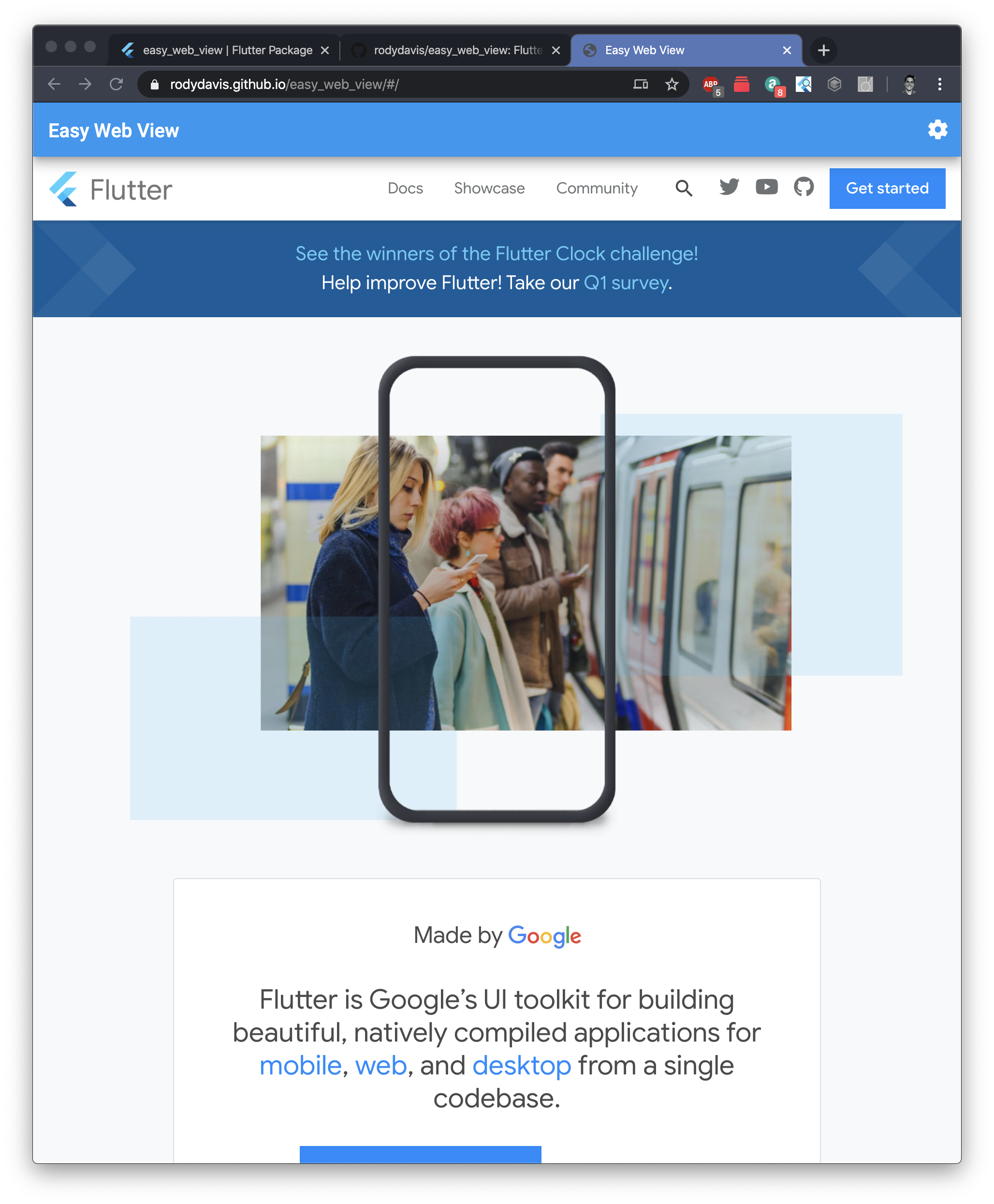
For those impatient I created a package for you to get all the following functionally and more here: https://pub.dev/packages/easy_web_view
Getting Started
Create a new flutter project named whatever you want.
If you plan on showing HTML content on iOS/Android you will need to add the following to your pubspec.yaml
dependencies:
    webview_flutter: ^0.3.15+1
Web
Reference: /lib/src/web.dart
To show html on Flutter web we need to use an HTMLElementView. This is a platform view that allows us to display native content.
We first need to register the Element and add all the options we need. Here we are creating an iFrame element and setting the source based on if it is markdown, html or a url.
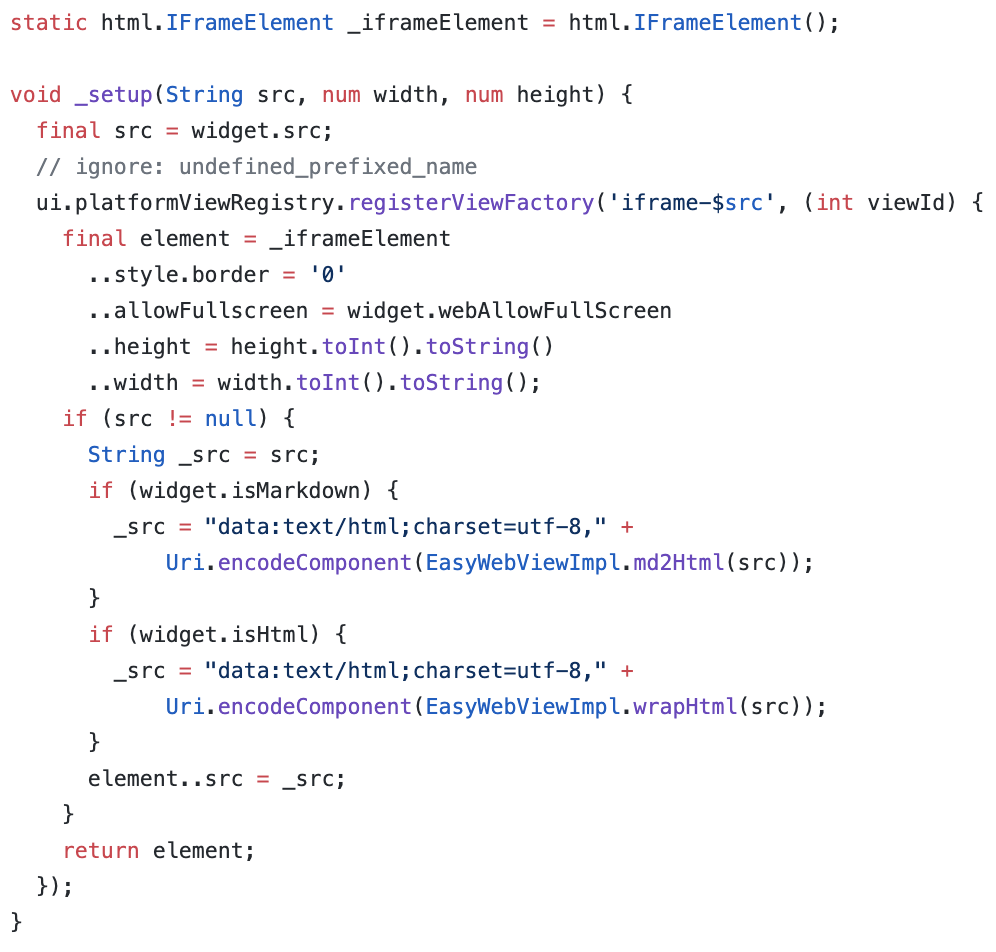
To display valid HTML you can set the src field to the following:
_src = "data:text/html;charset=utf-8," + Uri.encodeComponent("HTML_CONTENT_HERE");
For the package you can also pass markdown to the src and it will convert it for you.
After you call the setup method it is now time to display your new platform view:
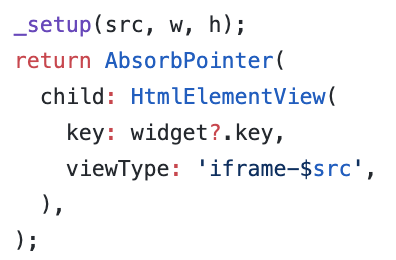
You need to use the same viewType string as you registered for “registerViewFactory” method earlier.
Finally you need to wrap it in a container or sized box with an explicit width and height!
Mobile
Reference: https://github.com/rodydavis/easy_web_view/blob/master/lib/src/mobile.dart
Mobile setup should be easier. Let’s add a method for updating the url that we will pass to the web view.
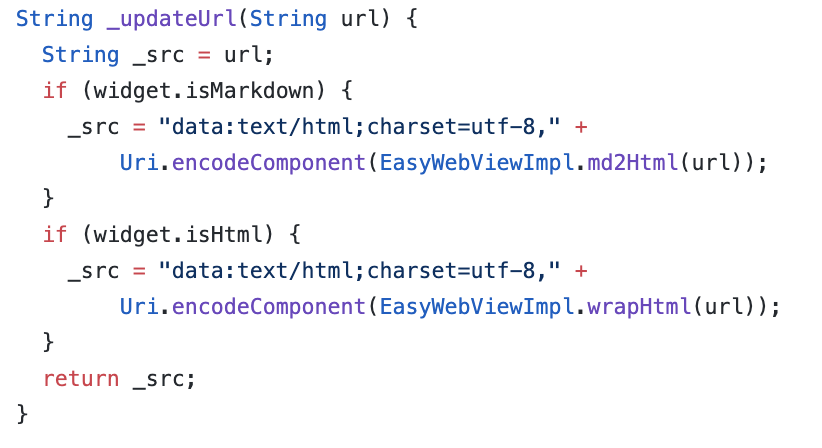
Create the controller:
WebViewController _controller;
And when ever the src changes call this method:
_controller.loadUrl(_updateUrl(widget.src), headers: widget.headers);
Finally lets show the html in the widget tree:
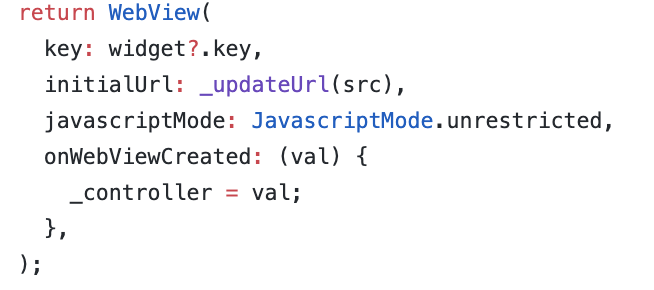
Conclusion
If you want to see a complete example and advanced use case view the source here: https://github.com/rodydavis/easy_web_view
And if you just want to have it all done for you use this package: https://pub.dev/packages/easy_web_view
Feel free to make PRs if you have anything that could help make it better too (Or if you find bugs).
When you show HTML this way you will find that you can interact, select text and work with it just like you would it it were a regular web page. If you are using the package you can also just pass embedded content or html elements too without needing a full html valid file (YouTube video for example).
When not to use it
- →When the content is not in HTML format
- →When a full HTML valid file is required for embedded content
Prerequisites
Limitations
- →Requires explicit width and height for the displayed content
- →Markdown conversion is handled by the package, not directly by the skill
How it compares
This approach allows direct rendering of HTML content within Flutter applications, unlike manually recreating HTML layouts with Flutter widgets.
Compared to similar skills
displaying-html-in-flutter side by side with the closest alternatives in the catalog.
| Skill | Installs | Updated | Safety | Difficulty |
|---|---|---|---|---|
| displaying-html-in-flutter (this skill) | 0 | 8mo | No flags | Beginner |
| flutter-development | 1,555 | 7mo | No flags | Intermediate |
| flutter-expert | 73 | 5mo | No flags | Advanced |
| flutter | 13 | 5mo | No flags | Intermediate |
Try saying
Example prompts that trigger this skill in your AI assistant.
You might also like
flutter-development
aj-geddes
Build beautiful cross-platform mobile apps with Flutter and Dart. Covers widgets, state management with Provider/BLoC, navigation, API integration, and material design.
flutter-expert
sickn33
Master Flutter development with Dart 3, advanced widgets, and multi-platform deployment. Handles state management, animations, testing, and performance optimization for mobile, web, desktop, and embedded platforms. Use PROACTIVELY for Flutter architecture, UI implementation, or cross-platform features.
flutter
alinaqi
Flutter development with Riverpod state management, Freezed, go_router, and mocktail testing
mobile-developer
sickn33
Develop React Native, Flutter, or native mobile apps with modern architecture patterns. Masters cross-platform development, native integrations, offline sync, and app store optimization. Use PROACTIVELY for mobile features, cross-platform code, or app optimization.
stac-quickstart
StacDev
Help initialize and validate a Stac-enabled Flutter project and ship a first server-driven screen. Use when users ask to set up Stac CLI, run stac init/build/deploy, verify project prerequisites, or troubleshoot first-run setup and missing configuration files.
mobile-components
dadbodgeoff
Mobile-first UI components including bottom navigation, bottom sheets, pull-to-refresh, and swipe actions. Touch-optimized with proper gesture handling.