Best Claude Code Skills for Developers (2026): 15 Reviewed Picks
15 Claude Code skills for developers, read from source and ranked: testing, git, review, debugging and docs, with install commands and caveats (Nov 25, 2026).
Agent Skills
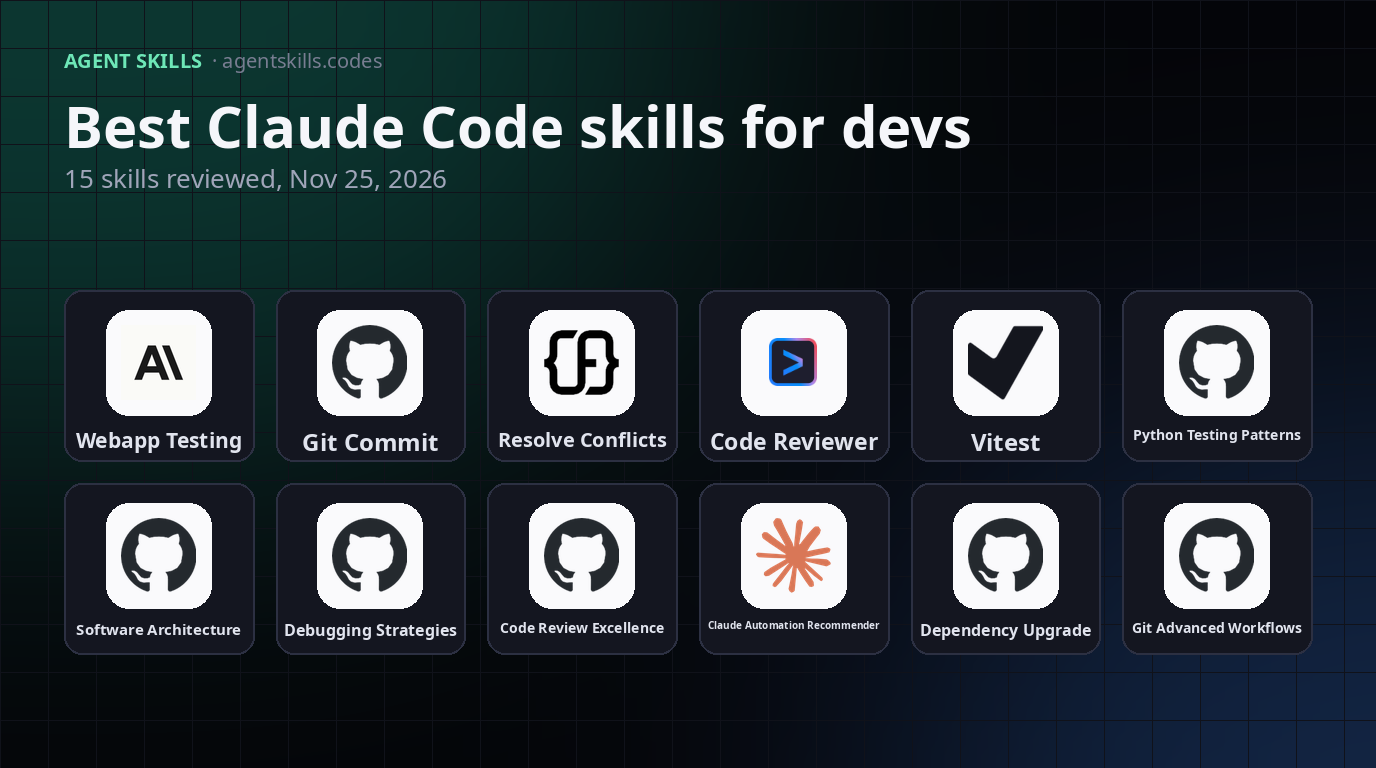
The agentskills.codes catalog indexes 11,524 skills as of November 25, 2026, and 6,343 of them sit in the Coding category. Most "best Claude Code skills" lists sort that pile by GitHub stars. That tells you which repo is famous, not what the skill will make your agent do with a dirty working tree and a merge conflict.
So we went the other way. We picked 15 developer-workflow skills from the catalog, pulled each one's SKILL.md from its GitHub source, read it end to end, and checked that the install commands resolve. Webapp Testing from Anthropic is the best all-rounder because it ships working scripts and a clear procedure. Git Commit is the safest git skill we read. Resolve Conflicts is the only one of the 15 that makes the agent write a risk-rated plan and wait for your approval before touching a conflict. The rest are ranked below, with their catches.
Anthropic's own explainer video on Agent Skills, the format every pick below uses.
Short answer: which skills to install first
- Best overall: Webapp Testing. Highest install count of the 15 picks (353) and the only one in the testing group that bundles a runnable server-lifecycle script.
- Best for git hygiene: Git Commit. Reads your repo's commit rules first, does not push, does not skip hooks unless you say so, and its folder was fixed as recently as November 5, 2026.
- Best for merge pain: Resolve Conflicts. Plan first, approval second, edits third.
- Best for code review: Code Reviewer if you want a short, cheap checklist; Code Review Excellence if you want review process and tone coaching.
- Best for unit tests: Vitest for TypeScript, Python Testing Patterns for pytest.
- Best open source: all 15 live in public GitHub repos; eight of the nine distinct repos report MIT or Apache-2.0 through the GitHub API (
anthropics/skillsreports none; its folder ships a LICENSE.txt). - Best for setting up Claude Code itself: Claude Automation Recommender, which is read-only and changes no files.
- Weakest pick, included for honesty: Docs Architect. It is generic, has 2 installs, and is last on the list for that reason.
The catalog's top Coding skill had 1,555 installs on the day we checked, so treat install counts here as a weak tiebreaker, not proof of quality.
How we ranked them
Three things decided the order, in this priority:
- What the SKILL.md actually makes the agent do. A skill with a concrete procedure, stop conditions and safety rules beats a skill that restates general advice the model already knows.
- Freshness of the skill folder. We asked GitHub for the last commit that touched each skill's own folder, not the repo's last push. Repos like
anthropics/skillsget pushed constantly while a given skill folder sits unchanged for months. - Catalog installs and views, as a tiebreaker only.
We left out framework-specific skills (the Flutter and Godot skills top the Coding install chart but are not general developer workflow). For every pick we also compared the catalog's copy of SKILL.md with the file on GitHub: after normalizing whitespace, the body text of the hosted SKILL.md is identical to GitHub's for all 15. The hosted copy only rewrites the frontmatter quoting and adds a source: line.
Master comparison table
All stats as of November 25, 2026. Installs and views come from the agentskills.codes API; stars and licenses come from the GitHub API for the source repo. Every skill is free to download and use; the only cost is the model tokens your agent spends reading it.
| Skill | Source repo (stars) | Installs / views | License (repo) | Open source | Key limit | Standout |
|---|---|---|---|---|---|---|
 Webapp Testing | anthropics/skills (200,317) | 353 / 585 | none reported by API; LICENSE.txt in folder | Yes | Python Playwright only; hosted zip lacks the scripts | with_server.py server lifecycle helper |
 Git Commit | github/awesome-copilot (41,555) | 11 / 49 | MIT | Yes | Long merge-state logic for a simple task | No push or hook skipping unless told |
 Resolve Conflicts | antinomyhq/forge (7,639) | 81 / 334 | Apache-2.0 | Yes | Script paths hardcoded to .forge/skills/ | Risk-rated plan before any edit |
 Code Reviewer | google-gemini/gemini-cli (109,099) | 24 / 62 | Apache-2.0 | Yes | Hardcodes npm run preflight as its check step | 3,183 chars, handles PRs and local diffs |
 Vitest | antfu/skills (6,099) | 41 / 183 | MIT | Yes | Pinned to Vitest 5.1.0-beta.1; zip holds only the index | 19 on-demand reference files |
 Python Testing Patterns | wshobson/agents (42,880) | 77 / 204 | MIT | Yes | pytest only; details live in references | AAA structure, fixtures, markers, coverage |
 Software Architecture | davila7/claude-code-templates (34,192) | 333 / 868 | MIT | Yes | JS/TS-biased; two different function-length limits | Bans utils/helpers naming |
 Debugging Strategies | wshobson/agents (42,880) | 3 / 7 | MIT | Yes | Generic; 3 installs | Reproduce, hypothesize, bisect process |
 Code Review Excellence | wshobson/agents (42,880) | 19 / 58 | MIT | Yes | Written for human reviewers; needs references | Time-boxed review phases |
 Claude Automation Recommender | anthropics/claude-plugins-official (48,176) | 47 / 140 | Apache-2.0 | Yes | Recommends only; Claude Code specific | Read-only audit of hooks, MCP, skills |
 Dependency Upgrade | wshobson/agents (42,880) | 26 / 240 | MIT | Yes | npm-centric; dated example versions | Staged upgrade plus rollback plan |
 Git Advanced Workflows | wshobson/agents (42,880) | 11 / 97 | MIT | Yes | Reference-card style | --force-with-lease and backup-branch habits |
| Refactor | github/awesome-copilot (41,555) | 8 / 38 | MIT | Yes | 16,843 chars in one file | "Without tests, you're not refactoring" |
| Subagent Driven Development | davila7/claude-code-templates (34,192) | 14 / 93 | MIT | Yes | Needs subagents, TodoWrite and a companion skill | Spec review, then quality review |
| Docs Architect | sickn33/antigravity-awesome-skills (50,306) | 2 / 10 | MIT | Yes | Generic; 10-100+ page output target | Labels inferred rationale as inferred |
How Claude Code finds and loads a skill
You need three facts about the host before the picks make sense. They come from the Claude Code skills documentation, fetched November 25, 2026.
First, a skill is a folder with a SKILL.md. The folder name becomes the slash command, so ~/.claude/skills/git-commit/SKILL.md is typed as /git-commit. Personal skills live in ~/.claude/skills/, project skills in .claude/skills/ (commit them so the team gets them), and when two skills share a name, enterprise beats personal and personal beats project.
Second, the body loads only when the skill is invoked. In a regular session, the docs say, skill descriptions are loaded into context so Claude knows what is available, but the full skill content only loads when invoked. After auto-compaction, Claude Code re-attaches the most recent invocation of each skill and keeps the first 5,000 tokens of each, within a combined budget of 25,000 tokens. The docs advise putting the most important instructions near the top of SKILL.md for that reason. Our picks range from 3,183 to 17,965 characters of SKILL.md, so the short ones are cheap and the heavy ones (Resolve Conflicts, Refactor) are worth installing only in the projects that need them.
Third, Claude Code already ships bundled skills. The docs name /code-review, /debug, /batch, /doctor, /loop and /claude-api among them. That overlaps with our review and debugging picks. We did not run the bundled skills, so we do not claim either is better.
Skills are also an open format now. The Claude Code docs say skills follow the Agent Skills open standard, and Codex, Gemini CLI, Cursor, OpenCode and Hermes each document the same folder-with-SKILL.md layout. A per-client works-with matrix is further down.
Anthropic's launch post for Skills (October 16, 2025).
The 15 picks
Each section below states what the SKILL.md instructs, based on the file we read from GitHub on November 25, 2026. "Last folder commit" is the date of the most recent commit that touched that skill's folder.
1. Webapp Testing
Source: anthropics/skills, 200,317 stars on GitHub as of November 25, 2026. Catalog: 353 installs, 585 views. Last folder commit: April 20, 2026. Catalog page: agentskills.codes/skills/webapp-testing.
What it instructs. The SKILL.md tells the agent to test local web apps by writing native Python Playwright scripts, and it opens with an unusual rule: always run the bundled helper with --help first and do not read its source unless a custom solution is truly needed, because the scripts are large and would pollute the context window. A small decision tree follows. Static HTML: read the file, find selectors, script it. Dynamic app with no server running: use scripts/with_server.py to start one or more servers (it supports a backend plus a frontend at once) and run your automation against them. Server already up: do reconnaissance first (navigate, wait for networkidle, screenshot or dump the DOM), pick selectors from the rendered state, then act. The one "common pitfall" it spells out is inspecting the DOM before networkidle on a JavaScript-rendered page.
Who it is for. Frontend and full-stack developers who want the agent to verify UI behavior, capture screenshots and read browser console logs without wiring up a test framework first.
Pros
- Ships real tooling:
with_server.pyplus three examples (element_discovery.py,static_html_automation.py,console_logging.py). - The "black box the script" rule protects your context budget.
Cons
- Python-only Playwright. A TypeScript Playwright suite is not what it produces.
- It is a reconnaissance and automation helper, not a test-suite generator; it does not set up assertions, fixtures or CI.
- The hosted zip contains only SKILL.md (we unzipped it, 1 file), so the scripts and examples are missing. Use the
degitinstall to get all 6 files.
Benefits for you. You get a repeatable way to say "start the dev server, open the page, tell me what is broken" instead of hand-writing Playwright boilerplate each time.
Pricing and limits. Free. The folder includes a LICENSE.txt (the GitHub API reports no repo-level license). No usage limits beyond your model tokens.
Skip it if your project already has a Playwright or Cypress suite you want extended in place; use the project's own runner instead.
npx degit anthropics/skills/skills/webapp-testing ~/.claude/skills/webapp-testing2. Git Commit
Source: github/awesome-copilot, 41,555 stars. Catalog: 11 installs, 49 views. Last folder commit: November 5, 2026 ("check operation state and extra edits before staging"). Catalog page: agentskills.codes/skills/git-commit.
What it instructs. Six steps: read the repo's rules first (commitlint config, CONTRIBUTING.md, git log --oneline -10, and if a repo rule differs from the skill, the repo wins); examine git status --porcelain and the staged and unstaged diffs; stage files; write a Conventional Commits message with type, scope and one-line summary; commit; then verify with git log -1 --stat and git status --porcelain. Step 3 is where this skill earns its place. It checks for MERGE_HEAD, CHERRY_PICK_HEAD and REVERT_HEAD, lists unmerged files, and if a merge, cherry-pick or revert is in progress it refuses to split the commit or unstage anything, because doing so would silently drop the other side's changes. Otherwise it puts one logical change in each commit and refuses git add -p and git add -i because those wait for human input.
The safety rules are blunt: do not change git config, do not use --no-verify unless told to, if a hook fails fix the problem and make a new commit rather than --amend, do not rewrite history, do not push, never force-push the default branch.
Who it is for. Anyone who has watched an agent run git add -A && git commit -m "update" on a tree full of unrelated edits.
Pros
- Strongest guardrails of any git skill we read; it is explicit about secrets (
.env,credentials.json, private keys). - Respects repository conventions over its own.
- Recently maintained, with a fix landing 20 days before our check.
Cons
- 8,575 characters for a task most people consider simple; most of the length is merge-state handling you may never hit.
- Low install count (11), so fewer eyes on it than the stars of its host repo suggest.
- Does not help if you only want a message drafted. The description says so: use it only when you want an actual commit.
Benefits for you. Clean, atomic commits that match your repo's conventions, and no surprise pushes.
Pricing and limits. Free, MIT (per GitHub API). Needs Git; Git 2.56+ for the --resolved path.
Skip it if you commit by hand and only want message suggestions.
curl -L https://agentskills.codes/api/skills/download/546 -o skill.zip && unzip skill.zip -d ~/.claude/skills/git-commit3. Resolve Conflicts
Source: antinomyhq/forge, 7,639 stars. Catalog: 81 installs, 334 views. Last folder commit: November 27, 2025 ("add plan-first workflow to conflict resolver"). Catalog page: agentskills.codes/skills/resolve-conflicts.
What it instructs. The description is forceful: invoke this skill immediately when the user mentions merge conflicts, and do not try to resolve them directly. Eight core principles: plan before executing and get approval, prefer keeping both changes, merge rather than choose (especially imports, tests and config), regenerate generated files instead of hand-merging them, back up deleted-but-modified files, run tests after, explain each resolution in one line, and ask when unclear.
The workflow is the differentiator. Step 1 categorizes every conflicted file (regular, deleted-modified, generated, test, import/config, binary). Step 2 produces a written "Merge Resolution Plan" with a conflict type, strategy, rationale and Low/Medium/High risk per file, an execution order and a list of questions, then it waits for your approval. Only then does it run scripts/handle-deleted-modified.sh for backups and analysis, and resolve files in plan order. For lock files it says to regenerate with the package manager rather than merge text.
Who it is for. Teams with long-lived branches, monorepos and lockfile conflicts, where an agent confidently picking "ours" is expensive.
Pros
- Approval gate before any edit, with a risk rating you can scan.
- Bundles
validate-conflicts.sh,handle-deleted-modified.sh, a patterns file and a sample plan (5 files viadegit). - The only skill in this list that treats deleted-versus-modified conflicts as their own case.
Cons
- 17,965 characters, the heaviest SKILL.md in the list, ahead of Refactor's 16,843. Install it per project, not globally.
- The helper-script paths are written as
.forge/skills/resolve-conflicts/scripts/.... Installed under~/.claude/skills/, those literal paths do not exist, so edit them or run the scripts by their real path.
Benefits for you. Fewer silent bad merges, and a reviewable record of why each file was resolved the way it was.
Pricing and limits. Free, Apache-2.0 (per GitHub API).
Skip it if your conflicts are almost always in one or two files you can read in seconds.
npx degit antinomyhq/forge/.forge/skills/resolve-conflicts .claude/skills/resolve-conflicts4. Code Reviewer
Source: google-gemini/gemini-cli, 109,099 stars. Catalog: 24 installs, 62 views. Last folder commit: January 21, 2026. Catalog page: agentskills.codes/skills/code-reviewer.
What it instructs. Five short steps. Decide the target: a remote PR (number or URL) or local staged and unstaged changes. For a remote PR, gh pr checkout <PR_NUMBER>, run the project's verification suite, and read the PR description and existing comments. For local changes, git status, git diff and git diff --staged, and ask before running preflight if the change is large. Analyze against seven pillars: correctness, maintainability, readability, efficiency, security, edge cases and error handling, and testability. Output a Summary, Findings grouped as Critical, Improvements and Nitpicks, and a Conclusion of Approved or Request Changes. It finishes by asking whether to switch back to the default branch.
Who it is for. Developers who want a fast second pair of eyes on a PR or on their own diff, without a long process document in context.
Pros
- 3,183 characters. Cheap to keep installed.
- Severity buckets make the output easy to act on.
Cons
- The check step is literally
npm run preflight, a script from the Gemini CLI repo. In your project that script probably does not exist, so tell the agent to use your own test and lint commands. - No guidance on language-specific pitfalls. For that, see pick 9.
Benefits for you. A consistent review format you can paste into a PR comment.
Pricing and limits. Free, Apache-2.0. Needs the GitHub CLI (gh) for remote PRs.
Skip it if you already rely on Claude Code's bundled /code-review (named in the Claude Code docs) and are happy with it. We did not run either, so we make no quality claim between them.
curl -L https://agentskills.codes/api/skills/download/527 -o skill.zip && unzip skill.zip -d ~/.claude/skills/code-reviewer5. Vitest
Source: antfu/skills, 6,099 stars. Catalog: 41 installs, 183 views. Last folder commit: October 23, 2026 ("document expect.unreachable, typed vi.mock, and sync to v5.1.0-beta.1"). Catalog page: agentskills.codes/skills/vitest.
What it instructs. This is a documentation-index skill, not a process skill. The SKILL.md opens with a short description of Vitest (Vite-powered, Jest-compatible API, native ESM and TypeScript, V8 or Istanbul coverage), then three tables that route the agent to 19 reference files: Core (config, CLI, test API, describe, expect, hooks), Features (mocking, snapshots, coverage, test context and fixtures, concurrency, filtering, tags, reporters, benchmarking) and Advanced (vi utilities, environments, type testing, projects). The frontmatter records version: "2026.10.23" and says the content is generated from the Vitest repo and based on Vitest 5.1.0-beta.1. A GENERATION.md in the folder documents how it is regenerated.
Who it is for. TypeScript and Vite developers who want the agent to use current Vitest APIs rather than remembered Jest ones.
Pros
- Version-stamped and regenerated from upstream docs; the freshest testing skill we read.
- Progressive disclosure done well: the index is 3,716 characters and the details load on demand.
Cons
- Pinned to a beta (5.1.0-beta.1). If your project is on an older stable Vitest, some APIs may not match; verify against your installed version.
- The hosted zip holds only the 3.7 KB index, so the references the index points to are missing. Install with
degitto get all 21 files.
Benefits for you. Correct mocking, fixtures and config syntax for the Vitest you actually run.
Pricing and limits. Free, MIT.
Skip it if you use Jest, Node's built-in test runner or pytest.
npx degit antfu/skills/skills/vitest ~/.claude/skills/vitest6. Python Testing Patterns
Source: wshobson/agents, 42,880 stars. Catalog: 77 installs, 204 views. Last folder commit: October 30, 2026 ("correct 22 broken code examples reported in #790"). Catalog page: agentskills.codes/skills/python-testing-patterns.
What it instructs. A compact pytest primer with a pointer to deeper material. After a use-when list it covers four core concepts: test types, the Arrange-Act-Assert structure, meaningful coverage ("not just high percentages") and test isolation. It recommends a tests/ layout with conftest.py, test_unit/, test_integration/ and test_e2e/, a test_<unit>_<scenario>_<expected> naming pattern, retry-behavior tests, freezegun for time, markers (pytest -m slow, -m "not slow") and pytest-cov commands including --cov-fail-under=80. Async testing, monkeypatching, property-based and database testing live in references/advanced-patterns.md and references/details.md.
Who it is for. Python developers who want the agent to write pytest the way a seasoned reviewer would expect, not a pile of assert x == y scripts.
Pros
- The recent history is the best signal here: a commit fixing 22 broken code examples means someone is actually testing the snippets.
- Layered: the main file is 7,282 characters and the long material is on demand.
Cons
- Pytest only. No unittest or nose guidance.
- The hosted zip does not include the two reference files that carry the async, monkeypatch and database material, so use
degitfor the full skill. - Generic advice in places ("Aim for meaningful coverage") that the model already knows.
Benefits for you. More consistent test layout and naming across a Python codebase.
Pricing and limits. Free, MIT.
Skip it if you do not write Python, or your team already has a strong pytest conventions doc in CLAUDE.md.
npx degit wshobson/agents/plugins/python-development/skills/python-testing-patterns ~/.claude/skills/python-testing-patterns7. Software Architecture
Source: davila7/claude-code-templates, 34,192 stars. Catalog: 333 installs, 868 views, the second highest install count among the 15 picks. Last folder commit: January 25, 2026 ("Migrate 244 skills from antigravity-awesome-skills repository"). Catalog page: agentskills.codes/skills/software-architecture.
What it instructs. Its description says to use it whenever the task relates to software development, which means it can load almost always. The body is a rule list based on Clean Architecture and Domain-Driven Design. Code style: early returns over nested conditions, avoid duplication, decompose functions over 80 lines, split files over 200 lines, prefer arrow functions. Library first: always search for an existing solution before writing custom code (it names cockatiel for retry logic), and lists when custom code is justified. Naming: avoid utils, helpers, common and shared; use domain names like OrderCalculator. It lists anti-patterns (NIH syndrome, business logic in UI components, queries in controllers) and quality limits: max three levels of nesting, functions under 50 lines, files under 200 lines.
Who it is for. Teams who want an opinionated house style applied by default, especially JavaScript and TypeScript shops.
Pros
- The naming rule is concrete and checkable.
- "Search for libraries first" counters the agent's habit of writing a custom helper for everything.
Cons
- It states two different function limits (decompose over 80 lines, but also keep functions under 50 when possible), so the agent has to pick one.
- The auto-trigger description is so broad that it loads on nearly every coding task, spending context for opinions you may not share.
- The rules are JS and TS flavored (arrow functions, npm, Redux, Zustand).
- Last folder commit is from a bulk migration, not a targeted update.
Benefits for you. A consistent shape for new code without writing your own style guide.
Pricing and limits. Free, MIT.
Skip it if you have a strong existing style guide, or you work in a language where these rules do not map.
curl -L https://agentskills.codes/api/skills/download/658 -o skill.zip && unzip skill.zip -d ~/.claude/skills/software-architecture8. Debugging Strategies
Source: wshobson/agents, 42,880 stars. Catalog: 3 installs, 7 views. Last folder commit: October 15, 2026. Catalog page: agentskills.codes/skills/debugging-strategies.
What it instructs. Debugging as the scientific method: observe, hypothesize, experiment, analyze, repeat. A four-phase process follows. Reproduce (confirm you can, build a minimal reproduction, document the steps). Gather information (error messages, environment, recent changes, scope). Form a hypothesis (what changed, what is different, where could it fail). Test and verify (binary search, add logging, isolate components, compare working against broken). It then gives patterns by issue type (intermittent bugs, performance problems, production bugs), a "common mistakes" list and a "when stuck" checklist. Tool-specific detail is in references/tools-and-techniques.md.
Who it is for. Anyone whose agent jumps to a fix before it has reproduced the bug.
Pros
- Enforces reproduce-first and one-change-at-a-time, the two habits that most reduce flailing.
- Production-bug guidance is sensible: gather evidence, reproduce locally with anonymized data, and do not change production.
- References are loaded only when bisecting or profiling.
Cons
- Only 3 installs. Nobody has told us it works.
- Much of it is a general checklist. Claude Code ships a bundled
/debugskill (named in the docs); we did not run it, so we cannot say how the two compare.
Benefits for you. A repeatable debugging loop and a written record of hypotheses.
Pricing and limits. Free, MIT.
Skip it if you already have a debugging workflow in your CLAUDE.md, or the bundled /debug does what you need.
npx degit wshobson/agents/plugins/developer-essentials/skills/debugging-strategies ~/.claude/skills/debugging-strategies9. Code Review Excellence
Source: wshobson/agents, 42,880 stars. Catalog: 19 installs, 58 views. Last folder commit: October 15, 2026 ("split 8 oversized skills and correct their content"). Catalog page: agentskills.codes/skills/code-review-excellence.
What it instructs. Where Code Reviewer is a checklist, this is a review philosophy. It covers goals, rules for good feedback and what to leave to tools, then a four-phase time-boxed process: context gathering (2-3 minutes: read the description and linked issue, check PR size and ask to split if over 400 lines, check CI), high-level review (5-10 minutes: architecture, file organization, testing strategy), line-by-line (10-20 minutes: logic, security, performance, maintainability) and a summary decision of approve, comment or request changes. It adds a modified sandwich method for difficult feedback, a five-step approach to disagreements and best practices: review within 24 hours, keep PRs to 200-400 lines, review in 60-minute blocks. Two reference files carry checklists and language-specific patterns, and the SKILL.md says to read them before writing feedback.
Who it is for. Team leads and senior engineers who want review comments with good tone and a consistent bar, or who use the agent to draft review comments on others' PRs.
Pros
- Addresses the human side: disagreements, difficult feedback, reviewer fatigue.
- Reference files keep language-specific detail out of the default context.
Cons
- Written largely for a human reviewer ("take breaks", "60 minutes max"). Some advice does not apply to an agent.
- 6,766 characters plus references: heavier than Code Reviewer for a similar job.
Benefits for you. Review comments that explain why and sort by severity, which helps junior authors.
Pricing and limits. Free, MIT.
Skip it if you want a short checklist. Pick Code Reviewer instead.
npx degit wshobson/agents/plugins/developer-essentials/skills/code-review-excellence ~/.claude/skills/code-review-excellence10. Claude Automation Recommender
Source: anthropics/claude-plugins-official, 48,176 stars. Catalog: 47 installs, 140 views. Last folder commit: May 28, 2026 ("add Convex to database/backend MCP coverage"). Catalog page: agentskills.codes/skills/claude-automation-recommender.
What it instructs. It is explicitly read-only: it analyzes a codebase and outputs recommendations, and it does not create or modify files. The frontmatter limits it to Read, Glob, Grep, Bash. Phase 1 inspects the project (type, dependencies, existing Claude Code config, structure). Phase 2 generates recommendations for five automation types: MCP servers, skills, hooks, subagents and plugins. It recommends one or two of each type by default, three to five if you ask for a specific type, and tells the agent to go beyond its reference lists with web search. Phase 3 prints a report with a codebase profile and a section per type. Five reference files hold the patterns.
Who it is for. Developers setting up Claude Code on a repo for the first time, or auditing an old setup.
Pros
- Read-only, so safe to run on any repo.
- Output is capped (one or two per category), which avoids a 40-item wishlist.
Cons
- It recommends; it does not install. You still do the work.
- Claude Code specific. The hooks and subagent advice does not carry to other clients.
- Folder last changed May 28, 2026, so newer Claude Code features may be absent from its reference lists. The skill tells the agent to search the web for those.
Benefits for you. A tailored shortlist of hooks, MCP servers and skills for your actual stack, instead of a generic awesome-list.
Pricing and limits. Free, Apache-2.0.
Skip it if your Claude Code setup is already tuned, or you use another client.
npx degit anthropics/claude-plugins-official/plugins/claude-code-setup/skills/claude-automation-recommender ~/.claude/skills/claude-automation-recommender11. Dependency Upgrade
Source: wshobson/agents, 42,880 stars. Catalog: 26 installs, 240 views. Last folder commit: March 7, 2026 ("remove phantom resource references and fix CoC links"). Catalog page: agentskills.codes/skills/dependency-upgrade.
What it instructs. A major-version upgrade playbook, mostly in shell snippets. It starts with a semver refresher, then audits (npm outdated, npm audit, npm ls, yarn why), and shows a compatibility-matrix pattern for peer dependencies. The core is a three-phase staged strategy: plan (list current versions, read CHANGELOG.md and MIGRATION.md, write an UPGRADE_PLAN.md with an order), incremental updates ("Don't upgrade everything at once", one major version at a time with test and build in between), then validation. It also covers codemods (jscodeshift), testing around the upgrade, Renovate and Dependabot configuration, and a rollback script.
Who it is for. Anyone staring at a React, TypeScript or Node major-version bump with 40 outdated packages.
Pros
- The "one major at a time, test between" rule is the part that actually saves projects.
- A recent commit removed references to resources that did not exist, which is the right kind of cleanup.
Cons
- Examples are npm and JavaScript first. Pip, Cargo, Go modules and Maven get nothing comparable.
- Example versions (React 17, React Router 6) are dated, so the agent has to be told to check current versions.
- Single file with no scripts; it is advice with snippets, not tooling.
Benefits for you. A defensible upgrade order and a rollback path written before you start.
Pricing and limits. Free, MIT.
Skip it if you only need a patch-level bump, or your stack is not JavaScript.
curl -L https://agentskills.codes/api/skills/download/351 -o skill.zip && unzip skill.zip -d ~/.claude/skills/dependency-upgrade12. Git Advanced Workflows
Source: wshobson/agents, 42,880 stars. Catalog: 11 installs, 97 views. Last folder commit: October 15, 2026 ("fix the reflog expiry comment and note the deploy script"). Catalog page: agentskills.codes/skills/git-advanced-workflows.
What it instructs. A reference card for five techniques: interactive rebase (pick, reword, edit, squash, fixup, drop), cherry-picking, git bisect including automated bisect with a test script, worktrees, and the reflog. Then seven best practices that are the useful part: always use --force-with-lease instead of --force, rebase only local commits, keep commits atomic, test before a force push, remember reflog entries expire (unreachable commits after 30 days by default), and create a backup branch before any risky rebase. A recovery section lists the abort commands and warns that git reset --hard deletes uncommitted changes that the reflog cannot recover. Deeper worked examples live in references/details.md.
Who it is for. Developers who ask the agent to clean up a branch before a PR, or to recover from a mistake.
Pros
- The safety habits (
--force-with-lease, backup branch, checkgit statusbeforereset --hard) are exactly what you want an agent to do with history-rewriting commands. - The reflog-expiry note was corrected in October 2026, which shows the maintainers read their own git facts.
Cons
- It does not prevent anything. Unlike Git Commit, it has no hard "never do X" rules, so an agent can still follow the instructions to rewrite shared history if you ask.
Benefits for you. Safer history rewrites and a recovery checklist when something goes wrong.
Pricing and limits. Free, MIT.
Skip it if you only commit and push to a trunk and never rewrite history.
npx degit wshobson/agents/plugins/developer-essentials/skills/git-advanced-workflows ~/.claude/skills/git-advanced-workflows13. Refactor
Source: github/awesome-copilot, 41,555 stars. Catalog: 8 installs, 38 views. Last folder commit: February 2, 2026 (a Codespell spelling fix, so the content itself is older). Catalog page: agentskills.codes/skills/refactor.
What it instructs. The SKILL.md opens with five "Golden Rules": behavior is preserved, take small steps and test after each, commit before and after each safe state, tests are essential ("Without tests, you're not refactoring, you're editing"), and do one thing at a time without mixing refactors and features. It then lists when not to refactor (working code that will not change, production code without tests, tight deadlines, "just because"). Ten code smells follow with bad and good examples (long method, feature envy, primitive obsession, magic numbers and others). The rest covers Extract Method, type safety, design patterns, a five-step safe process (prepare, identify, refactor in small steps, verify, clean up) and a quality checklist (functions under 50 lines, no any without justification, no circular dependencies).
Who it is for. Teams that want refactors to stay behavior-preserving and reviewable, rather than a sprawling rewrite the agent calls "cleanup".
Pros
- The rule "add tests first" is the single most useful constraint you can put on an agent that is about to restructure code.
- The "when NOT to refactor" list stops needless churn.
Cons
- 16,843 characters in one file with no references folder. At that size, it competes with your actual code for context. Load it for the refactoring task, not permanently.
- Most of the value is in the prose rules and before/after snippets, so it does not know your language's refactoring tools.
- The last meaningful content change is unclear: the latest folder commit is a spelling fix.
Benefits for you. Smaller diffs, tests before edits, and a refusal to refactor code with no safety net.
Pricing and limits. Free, MIT (the frontmatter also declares license: MIT).
Skip it if you already enforce small-PR and test-first rules in your CLAUDE.md.
curl -L https://agentskills.codes/api/skills/download/515 -o skill.zip && unzip skill.zip -d ~/.claude/skills/refactor14. Subagent Driven Development
Source: davila7/claude-code-templates, 34,192 stars. Catalog: 14 installs, 93 views. Last folder commit: December 20, 2025 ("Add 56 new skills from community repos and custom creations"). Catalog page: agentskills.codes/skills/subagent-driven-development.
What it instructs. It runs an implementation plan by dispatching a fresh subagent per task, with a two-stage review after each. The controller reads the plan once, extracts every task with its full text and builds a TodoWrite list. For each task: dispatch an implementer subagent (using the bundled implementer-prompt.md), answer its questions, let it implement, test, commit and self-review, then dispatch a spec-compliance reviewer (spec-reviewer-prompt.md), and only after that passes a code-quality reviewer (code-quality-reviewer-prompt.md). Fixes go back to the same implementer, then the reviewer checks again. The red-flags section is strict: never skip a review, never run multiple implementers in parallel, never start the quality review before spec compliance passes, never accept "close enough".
Who it is for. Developers who already have a written plan and want to run it with less context pollution and a built-in review loop.
Pros
- Review order is explicit: spec first, then quality. This is the main thing that separates it from a plain "use subagents" prompt.
- Ships three prompt templates, so the dispatch prompts are not improvised.
Cons
- It depends on other skills. The Integration section names
superpowers:writing-plans,superpowers:requesting-code-review,superpowers:finishing-a-development-branchandsuperpowers:test-driven-development. We did not find those in the folder, so on its own the workflow is incomplete. - Heavy by design: an implementer plus two reviewers per task. Not worth it for small changes.
- Uses Claude Code concepts (TodoWrite, subagent dispatch). Other clients will need adaptation.
- The hosted zip has only SKILL.md; the three prompt templates require
degit.
Benefits for you. Long plans executed task by task with a verification gate on each, instead of one giant session that forgets the spec.
Pricing and limits. Free, MIT. Real cost is tokens: three agent runs per task.
Skip it if you do not write plans first, or your tasks are small enough for one session.
npx degit davila7/claude-code-templates/cli-tool/components/skills/development/subagent-driven-development ~/.claude/skills/subagent-driven-development15. Docs Architect
Source: sickn33/antigravity-awesome-skills, 50,306 stars. Catalog: 2 installs, 10 views, category Writing in the catalog. Last folder commit: October 23, 2026 ("integrate reviewed catalog maintenance batches"). Catalog page: agentskills.codes/skills/docs-architect.
What it instructs. The first half is boilerplate: "Use this skill when" and "Instructions" sections that restate the skill's name ("Working on docs architect tasks"). The real content follows: act as a technical documentation architect, work in three phases (discovery of structure, dependencies and patterns; structuring a chapter hierarchy; writing from an executive summary down to implementation details), and produce long-form output (the SKILL.md says 10 to 100+ pages) with ten suggested sections from Executive Summary to Appendices. One line is worth the install: explain design rationale only when supported by code comments, decision records, issues or confirmed maintainer context, label inferred rationale and unknown history, and never invent benchmarks or deployment and security details.
Who it is for. Teams that need an architecture manual or onboarding document generated from an existing codebase.
Pros
- The "label inferred rationale" rule is a rare honesty guard in a docs skill.
- Output is Markdown with
file_path:line_numberreferences to code.
Cons
- The weakest SKILL.md in this list. The boilerplate adds no information, and it is catalog-category Writing, not Coding.
- A 10 to 100+ page target is a lot of tokens for a single run.
- 2 installs and 10 views. Treat it as unproven.
- Nothing about keeping docs current as the code changes.
Benefits for you. A starting point for architecture docs, with an explicit warning against fabricated history.
Pricing and limits. Free, MIT.
Skip it if you want API reference docs or a changelog. For release notes, the catalog's Docs Changelog is narrower but fits Gemini CLI-style changelog work better; we did not rank it because it is written for one project's release process.
curl -L https://agentskills.codes/api/skills/download/2971 -o skill.zip && unzip skill.zip -d ~/.claude/skills/docs-architectPricing, license and size at a glance
All 15 skills are free to download. The real cost is context: the longer the SKILL.md, the more tokens the agent spends once the skill is invoked. Figures are as of November 25, 2026, from the GitHub API and the SKILL.md files we read.
| Skill | Price | License (repo) | SKILL.md size | Extra files in GitHub folder | Folder last changed |
|---|---|---|---|---|---|
| Webapp Testing | Free | LICENSE.txt in folder | 3,861 chars | 1 script, 3 examples, LICENSE.txt | Apr 20, 2026 |
| Git Commit | Free | MIT | 8,575 chars | None | Nov 5, 2026 |
| Resolve Conflicts | Free | Apache-2.0 | 17,965 chars | 2 scripts, 2 reference files | Nov 27, 2025 |
| Code Reviewer | Free | Apache-2.0 | 3,183 chars | None | Jan 21, 2026 |
| Code Review Excellence | Free | MIT | 6,766 chars | 2 reference files | Oct 15, 2026 |
| Debugging Strategies | Free | MIT | 6,210 chars | 1 reference file | Oct 15, 2026 |
| Python Testing Patterns | Free | MIT | 7,282 chars | 2 reference files | Oct 30, 2026 |
| Vitest | Free | MIT | 3,716 chars | 19 reference files, GENERATION.md | Oct 23, 2026 |
| Refactor | Free | MIT | 16,843 chars | None | Feb 2, 2026 |
| Git Advanced Workflows | Free | MIT | 5,571 chars | 1 reference file | Oct 15, 2026 |
| Dependency Upgrade | Free | MIT | 7,624 chars | None | Mar 7, 2026 |
| Software Architecture | Free | MIT | 3,535 chars | None | Jan 25, 2026 |
| Docs Architect | Free | MIT | 4,754 chars | None | Oct 23, 2026 |
| Claude Automation Recommender | Free | Apache-2.0 | 10,976 chars | 5 reference files | May 28, 2026 |
| Subagent Driven Development | Free | MIT | 9,799 chars | 3 prompt templates | Dec 20, 2025 |
The character counts are for the GitHub files; the hosted copies add a source: line and re-quote the frontmatter, so they are slightly different in size. For Webapp Testing the GitHub API listed no repo-level license, which is why the table points at the LICENSE.txt in the folder.
Feature matrix
"Yes" means we saw it in the SKILL.md or the GitHub folder. "Partial" means the skill gestures at it without making it a hard rule.
| Skill | Bundled scripts | Reference or template files | Safety or approval rules | Hosted zip has everything |
|---|---|---|---|---|
| Webapp Testing | Yes | Partial (examples) | No | No |
| Git Commit | No | No | Yes | Yes |
| Resolve Conflicts | Yes | Yes | Yes (approval gate, backups) | No |
| Code Reviewer | No | No | No | Yes |
| Code Review Excellence | No | Yes | No | No |
| Debugging Strategies | No | Yes | Partial (do not change production) | No |
| Python Testing Patterns | No | Yes | No | No |
| Vitest | No | Yes | No | No |
| Refactor | No | No | Partial (tests first, small steps) | Yes |
| Git Advanced Workflows | No | Yes | Partial (--force-with-lease, backup branch) | No |
| Dependency Upgrade | No | No | Partial (staged upgrade, rollback plan) | Yes |
| Software Architecture | No | No | No | Yes |
| Docs Architect | No | No | Partial (never invent benchmarks) | Yes |
| Claude Automation Recommender | No | Yes | Yes (read-only) | No |
| Subagent Driven Development | No | Yes (prompt templates) | Partial (never skip reviews) | No |
Head-to-head: the closest pairs
Code Reviewer vs Code Review Excellence
Pick Code Reviewer if you want a 3,183-character checklist that outputs Critical, Improvements and Nitpicks, and you are fine telling the agent to run your own checks instead of npm run preflight. Pick Code Review Excellence if you review other people's work and care about tone, disagreements and time-boxing, and you will install it with degit so the two reference files come along. They overlap, so install one per project, not both. If you want the least context spent, Code Reviewer wins; if you want the most review coaching, Code Review Excellence does.
Git Commit vs Git Advanced Workflows vs Resolve Conflicts
These are three different jobs. Git Commit makes a clean commit and, by its Safety Rules, will not push or skip hooks unless you tell it to. Git Advanced Workflows is a recipe card for rebasing, bisecting and recovering, with good habits but no hard prohibitions. Resolve Conflicts is the one to reach for when a merge has already gone wrong, because it stops and shows you a plan first. If you can only install one, install Git Commit: it prevents the most common mistake (committing too much) and costs 8,575 characters when invoked. Add Resolve Conflicts on repos with long-lived branches.
Refactor vs Software Architecture
Refactor is a process skill: tests first, small steps, commit often. Software Architecture is a style skill: early returns, no utils files, search for a library before writing one. They conflict in one place worth knowing. Refactor says functions should stay under 50 lines; Software Architecture says to decompose above 80 and also states 50 as a goal. If you install both, tell the agent which limit your team uses. Software Architecture has the higher install count (333 against 8), but Refactor's "tests first" rule is the more valuable constraint in our reading.
Skills and MCP servers that work with these picks
Every pick above links to its catalog page. Three more catalog entries sit just outside the 15 and are worth knowing about, each confirmed to return 200 on November 25, 2026:
- MCP Builder (anthropics/skills, 136 installs, 215 views): a guide for building MCP servers, with scripts and a reference folder. We left it out of the 15 because it is for people building integrations, not for everyday coding. It pairs naturally with Claude Automation Recommender: the recommender suggests MCP servers, and MCP Builder helps when none exists for your service.
- Skill Creator (anthropics/skills, 128 installs, 200 views): Anthropic's skill for writing new skills. Its SKILL.md is 32,987 characters with agents, assets, an eval viewer, references and scripts, so it is the heaviest thing we looked at. Use it when you want to turn your own team's conventions into a skill rather than install someone else's.
- Docs Changelog (google-gemini/gemini-cli, 4 installs, 27 views): a step-by-step procedure for generating changelog files from GitHub release information. It is written for the Gemini CLI project, so treat it as a template.
On the MCP side, Boris Cherny (@bcherny) posted on November 24, 2026 that MCP servers can now ship with their own skills, so Claude Code knows how to use them out of the box. That is a first-party sign that skills and MCP servers are meant to be paired. Anthropic also has a video on writing your own skill:
Anthropic's video on creating custom skills.
Anthropic's own skills repository, anthropics/skills, was the source of two of the entries above and had 200,317 stars on November 25, 2026.
For context on which model to run these skills with, see our posts on Opus 5.5 vs Sonnet 5.5 for agent skills and the best models for agent skills (October 2026). If you write your own skills, our Caveman skill review for skill authors is a useful companion.
Five of the 15 picks (Code Review Excellence, Debugging Strategies, Git Advanced Workflows, Dependency Upgrade and Python Testing Patterns) come from one repo, wshobson/agents, which had 42,880 stars on November 25, 2026.

Install commands for all 15
The hosted zip is the quick path and works everywhere. The degit path pulls the whole skill folder from GitHub, including scripts and reference files. On November 25, 2026 we ran both: we downloaded all 15 hosted zips and unzipped them (each contained one file, SKILL.md), and we ran npx degit for all 15 source folders, which all exited with code 0 and produced the file counts below.
| Skill | Hosted zip (id) | Files via degit |
|---|---|---|
| Webapp Testing | curl -L https://agentskills.codes/api/skills/download/47 -o skill.zip && unzip skill.zip -d ~/.claude/skills/webapp-testing | 6 |
| Git Commit | curl -L https://agentskills.codes/api/skills/download/546 -o skill.zip && unzip skill.zip -d ~/.claude/skills/git-commit | 1 |
| Resolve Conflicts | curl -L https://agentskills.codes/api/skills/download/2048 -o skill.zip && unzip skill.zip -d ~/.claude/skills/resolve-conflicts | 5 |
| Code Reviewer | curl -L https://agentskills.codes/api/skills/download/527 -o skill.zip && unzip skill.zip -d ~/.claude/skills/code-reviewer | 1 |
| Code Review Excellence | curl -L https://agentskills.codes/api/skills/download/741 -o skill.zip && unzip skill.zip -d ~/.claude/skills/code-review-excellence | 3 |
| Debugging Strategies | curl -L https://agentskills.codes/api/skills/download/2609 -o skill.zip && unzip skill.zip -d ~/.claude/skills/debugging-strategies | 2 |
| Python Testing Patterns | curl -L https://agentskills.codes/api/skills/download/138 -o skill.zip && unzip skill.zip -d ~/.claude/skills/python-testing-patterns | 3 |
| Vitest | curl -L https://agentskills.codes/api/skills/download/1479 -o skill.zip && unzip skill.zip -d ~/.claude/skills/vitest | 21 |
| Refactor | curl -L https://agentskills.codes/api/skills/download/515 -o skill.zip && unzip skill.zip -d ~/.claude/skills/refactor | 1 |
| Git Advanced Workflows | curl -L https://agentskills.codes/api/skills/download/84 -o skill.zip && unzip skill.zip -d ~/.claude/skills/git-advanced-workflows | 2 |
| Dependency Upgrade | curl -L https://agentskills.codes/api/skills/download/351 -o skill.zip && unzip skill.zip -d ~/.claude/skills/dependency-upgrade | 1 |
| Software Architecture | curl -L https://agentskills.codes/api/skills/download/658 -o skill.zip && unzip skill.zip -d ~/.claude/skills/software-architecture | 1 |
| Docs Architect | curl -L https://agentskills.codes/api/skills/download/2971 -o skill.zip && unzip skill.zip -d ~/.claude/skills/docs-architect | 1 |
| Claude Automation Recommender | curl -L https://agentskills.codes/api/skills/download/848 -o skill.zip && unzip skill.zip -d ~/.claude/skills/claude-automation-recommender | 6 |
| Subagent Driven Development | curl -L https://agentskills.codes/api/skills/download/502 -o skill.zip && unzip skill.zip -d ~/.claude/skills/subagent-driven-development | 4 |
The degit form for each is npx degit <owner>/<repo>/<path> ~/.claude/skills/<slug>, and the source path is on each skill's catalog page and in its section above. For a project-level install, replace ~/.claude/skills/ with .claude/skills/ and commit the folder.
Two small gotchas we hit while reading. Resolve Conflicts hardcodes .forge/skills/resolve-conflicts/scripts/ paths, which do not exist in a ~/.claude/skills/ install, so adjust them. Code Reviewer hardcodes npm run preflight, so tell the agent to use your own test command.
Works-with matrix
Skills are an open format, and each of these clients documents a folder-with-SKILL.md layout. We read each client's skills documentation on November 25, 2026 and list the directories it documents. "Yes" below means the client documents loading a skill folder from that path. It does not mean we ran the skill in that client, because we did not.
| Client | Documented skill paths | Loads these 15 skills? | Caveats from the skills themselves |
|---|---|---|---|
| Claude Code | ~/.claude/skills/, .claude/skills/ | Yes | Subagent Driven Development and Claude Automation Recommender are written for Claude Code concepts |
| Codex | $HOME/.agents/skills, $REPO_ROOT/.agents/skills, /etc/codex/skills | Yes (format) | Install to .agents/skills; the subagent skill assumes TodoWrite |
| Cursor | .cursor/skills/, .agents/skills/, plus compatibility loading of .claude/skills/ and .codex/skills/ | Yes (format) | The recommender's output is framed around Claude Code hooks, subagents and plugins |
| Gemini CLI | ~/.gemini/skills/, .gemini/skills/, and the .agents/skills/ alias | Yes (format) | Code Reviewer and Docs Changelog originate in the Gemini CLI repo |
| OpenCode | .opencode/skills/, ~/.config/opencode/skills, compatibility .claude/skills and .agents/skills | Yes (format) | None specific |
| Hermes | ~/.hermes/skills/ | Yes (format) | None specific |
"Format" means the SKILL.md layout is the documented standard for that client; the skills in this list are plain instructions plus optional scripts, so they should work, but a skill that says "dispatch a subagent" needs the client to have subagents. Practical shortcut: Cursor and OpenCode both document loading .claude/skills, and Gemini CLI, Cursor, OpenCode and Codex all document .agents/skills, so one install in .agents/skills/ covers four of the six clients.
Boris Cherny (@bcherny) announcing two new skills, /simplify and /batch, on February 28, 2026. The Claude Code docs list bundled skills such as /code-review and /debug, which overlap with several picks above.
Best for X: decision table
| If you want... | Install | Why |
|---|---|---|
| The agent to verify a web UI | Webapp Testing | Server lifecycle helper plus Playwright patterns |
| Clean conventional commits | Git Commit | Reads repo rules, does not push unless asked |
| A safe merge-conflict workflow | Resolve Conflicts | Plan, approval, then edits |
| A quick review of a PR or diff | Code Reviewer | 3,183 characters, severity buckets |
| Review coaching and tone | Code Review Excellence | Time-boxed phases, disagreement handling |
| Correct Vitest syntax | Vitest | Version-stamped, 19 reference files |
| Better pytest tests | Python Testing Patterns | AAA structure, markers, coverage gates |
| A repeatable debugging loop | Debugging Strategies | Reproduce first, one change at a time |
| Safer history rewrites | Git Advanced Workflows | --force-with-lease, backup branch |
| A staged major upgrade | Dependency Upgrade | One major at a time with a rollback plan |
| Refactors that keep behavior | Refactor | "Without tests, you're not refactoring" |
| A consistent code style | Software Architecture | Naming and library-first rules |
| Architecture docs from code | Docs Architect | Honest about inferred rationale |
| Setting up Claude Code on a repo | Claude Automation Recommender | Read-only recommendations |
| Long plans with review gates | Subagent Driven Development | Spec review, then quality review |
Common mistakes
- Installing all 15. Invoked skill bodies add up, and Claude Code carries over only the first 5,000 tokens of each invoked skill after compaction, within a shared 25,000-token budget (per its docs). Install the four or five you will use.
- Trusting the hosted zip for skills with references. Nine of our 15 depend on files the zip leaves out.
- Ignoring hardcoded paths and commands. Resolve Conflicts and Code Reviewer both assume a specific project layout.
- Reading install counts as quality. The most-installed Coding skill had 1,555 installs; the median of ours is well under 100.
- Stacking overlapping skills. Code Reviewer plus Code Review Excellence plus the bundled
/code-reviewcan give conflicting output formats. - Skipping the read. A SKILL.md is instructions your agent will follow with your credentials and file access. Read it before installing, especially any that run scripts.
Setup checklist
- Pick a scope: personal (
~/.claude/skills/) for habits you want everywhere, project (.claude/skills/) for team conventions in version control. - Use
degitfor any skill whose catalog page or section above says it has scripts or references. - Read the SKILL.md and any bundled script before the first run.
- Fix hardcoded paths and commands (
.forge/...,npm run preflight) to match your repo. - Invoke the skill by its slash command to confirm it loads, and add one or two at a time.
How we evaluated
Here is exactly what we did on November 25, 2026.
What we did.
- Queried the agentskills.codes API (
/api/v1/skills) for the terms coding, testing, debugging, git, refactor and docs, sorted by installs, and read the Coding category pages. The catalog reported 11,524 skills in total and 6,343 in Coding. - For each of the 15 picks, fetched the catalog's markdown page and the SKILL.md from the GitHub source, and read the GitHub file end to end or by section. We compared the two copies after whitespace normalization.
- Asked the GitHub API for each repo's star count, license and archive status, and for the last commit that touched each skill's own folder.
- Downloaded all 15 hosted zips and listed their contents (one file each).
- Ran
npx degitagainst all 15 source folders and counted the files (all exited 0). - Confirmed every link in this post returns HTTP 200 (48 URLs checked), verified the YouTube video through oEmbed and the X posts through the X syndication endpoint, and read each client's skills documentation for the works-with matrix.
What we did not do. We did not run these skills against a real repository, measure token usage, compare output quality or time any workflow. So we do not claim any skill "improves" results, and the pros and cons describe what the instructions say and what is missing from them, not measured outcomes. The bundled Claude Code skills (/code-review, /debug and others) were not run either, so we make no claim about whether a third-party skill beats them. For that reason the title says "Reviewed", not "Tested". We also did not sample Reddit or other forums; the ranking is ours.
Source of facts. Installs and views come from the catalog API; stars, licenses and commit dates from the GitHub API; skill behavior from the GitHub SKILL.md; client paths from each vendor's documentation. Installs and stars change daily, so treat them as a November 25, 2026 snapshot.
FAQ
What are the best Claude Code skills for developers?
Our top picks from the agentskills.codes catalog are Webapp Testing for UI verification, Git Commit for safe commits, Resolve Conflicts for merge work, Code Reviewer for fast reviews, and Vitest or Python Testing Patterns for unit tests. The full ranking of 15 is above, with the catches for each.
Where do I put a skill so Claude Code finds it?
In a folder with a SKILL.md. Claude Code reads personal skills from ~/.claude/skills/<name>/ and project skills from .claude/skills/<name>/. The folder name, or the frontmatter name if you set one, becomes the slash command. If the same name exists in two places, enterprise wins over personal and personal wins over project (per the Claude Code docs).
Is the hosted zip the same as the GitHub skill?
The SKILL.md body is the same (we compared all 15 after normalizing whitespace). The zip contains only that file, though. Nine of the 15 skills have scripts, references or templates in their GitHub folder that the zip omits. Use npx degit for those.
How do the skills load, and do they cost tokens all the time?
Per the Claude Code docs, skill descriptions sit in context so Claude knows what exists, and the full skill content loads only when invoked. So an installed skill costs a little all the time and a lot when used. The heaviest we read, Resolve Conflicts, is 17,965 characters.
Do these skills work outside Claude Code?
The format is shared. Codex, Cursor, Gemini CLI, OpenCode and Hermes each document the folder-with-SKILL.md layout, and Cursor and OpenCode also read .claude/skills. Some skills, like Subagent Driven Development, assume Claude Code features such as subagents and TodoWrite. We did not run these skills in the other clients.
What is a Claude skills library?
A catalog of reusable skill folders you can install. The agentskills.codes catalog lists 11,524 skills as of November 25, 2026, and each page shows the source repo, a hosted download and the install command. Anthropic's own repository is another source.
What does Reddit recommend?
We did not read Reddit or any forum for this post, so we cannot say. Our ranking comes from reading the SKILL.md files and checking their repos. If you see a skill recommended on Reddit, apply the same check: open the SKILL.md, look at what it tells the agent to do, and check when its folder last changed.
Are skills safe to install?
A skill is instructions plus optional scripts that your agent follows with your file and shell access. Read the SKILL.md and any script first. Of our 15, only Webapp Testing and Resolve Conflicts bundle executable scripts, and Claude Automation Recommender is explicitly read-only. We did not audit the scripts line by line for security.
Which skills should I avoid?
Not avoid, but be cautious: Docs Architect has 2 installs and a boilerplate-heavy SKILL.md, Debugging Strategies has 3 installs, and Software Architecture auto-loads on almost any coding task. Skip any skill whose rules contradict your team's CLAUDE.md.
How often are these skills updated?
It varies. Git Commit's folder changed on November 5, 2026 and Vitest's on October 23, 2026, while Resolve Conflicts' last folder commit was November 27, 2025 and Subagent Driven Development's December 20, 2025. Old is not automatically bad, but check the date and read the file.
Can I write my own skill instead?
Yes. Anthropic's Skill Creator, listed in the catalog, is a skill for that. A skill is a folder with a SKILL.md whose frontmatter has a name and description, so a short one is easy to write. Put your team's conventions into one and commit it to .claude/skills/.
Sources
All sources were fetched or queried on November 25, 2026 unless noted.
- agentskills.codes catalog API,
https://agentskills.codes/api/v1/skills, and the 15 catalog pages linked in each section - Hosted download endpoint,
https://agentskills.codes/api/skills/download/<id> - GitHub repository and folder pages: anthropics/skills, github/awesome-copilot, antinomyhq/forge, google-gemini/gemini-cli, wshobson/agents, antfu/skills, davila7/claude-code-templates, anthropics/claude-plugins-official, sickn33/antigravity-awesome-skills
- Claude Code skills documentation: code.claude.com/docs/en/skills
- Codex skills documentation: developers.openai.com/codex/skills
- Gemini CLI skills documentation: geminicli.com/docs/cli/skills
- OpenCode skills documentation: opencode.ai/docs/skills
- Cursor skills documentation: cursor.com/docs/context/skills
- Hermes skills documentation: hermes-agent.nousresearch.com
- Agent Skills open standard: agentskills.io
- Anthropic, Introducing Agent Skills: anthropic.com/news/skills
- Vitest: vitest.dev
- Conventional Commits 1.0.0: conventionalcommits.org
- X posts by @claudeai (October 16, 2025), @bcherny (February 28, 2026) and @bcherny (November 24, 2026)
- Video: Claude Agent Skills Explained, Anthropic
Next step
Ready to upgrade your agent?
Browse the open registry of agent skills for Claude Code, Codex, GitHub Copilot, and Antigravity. Every skill installs with one command.


